Si development study 03
What a clipping mask has to keep when you save a vector document
A Si engineering study of clipping paths, saved artwork, and releasing a mask after reopening a vector document.
Summary
A clipping mask hides artwork outside a path. Releasing the mask after reopening a file tests whether the editor kept the artwork that was hidden. Si stores the path and the artwork together in an ordered group. In two local browser cases, we saved the group, reopened it, released the mask, and used Undo to restore it.
1. Release the mask after reopening the file
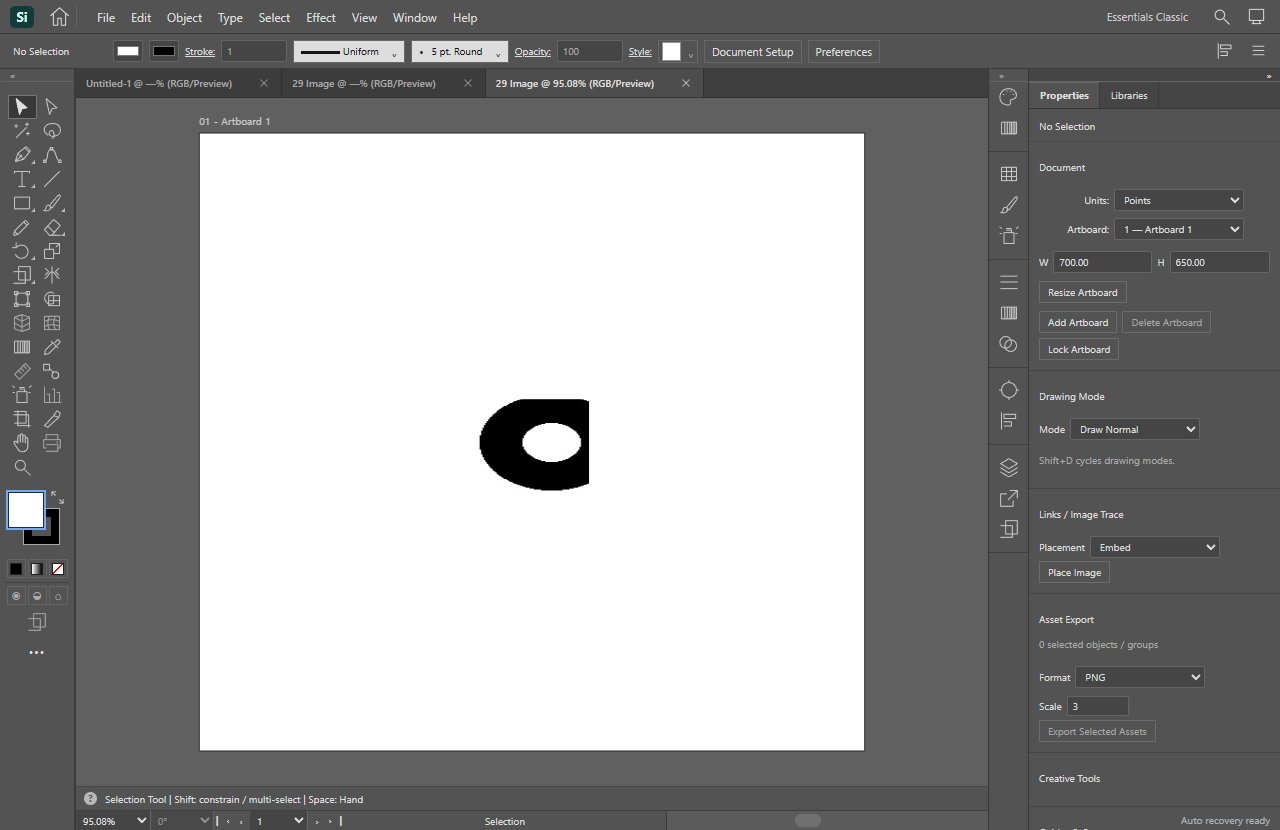
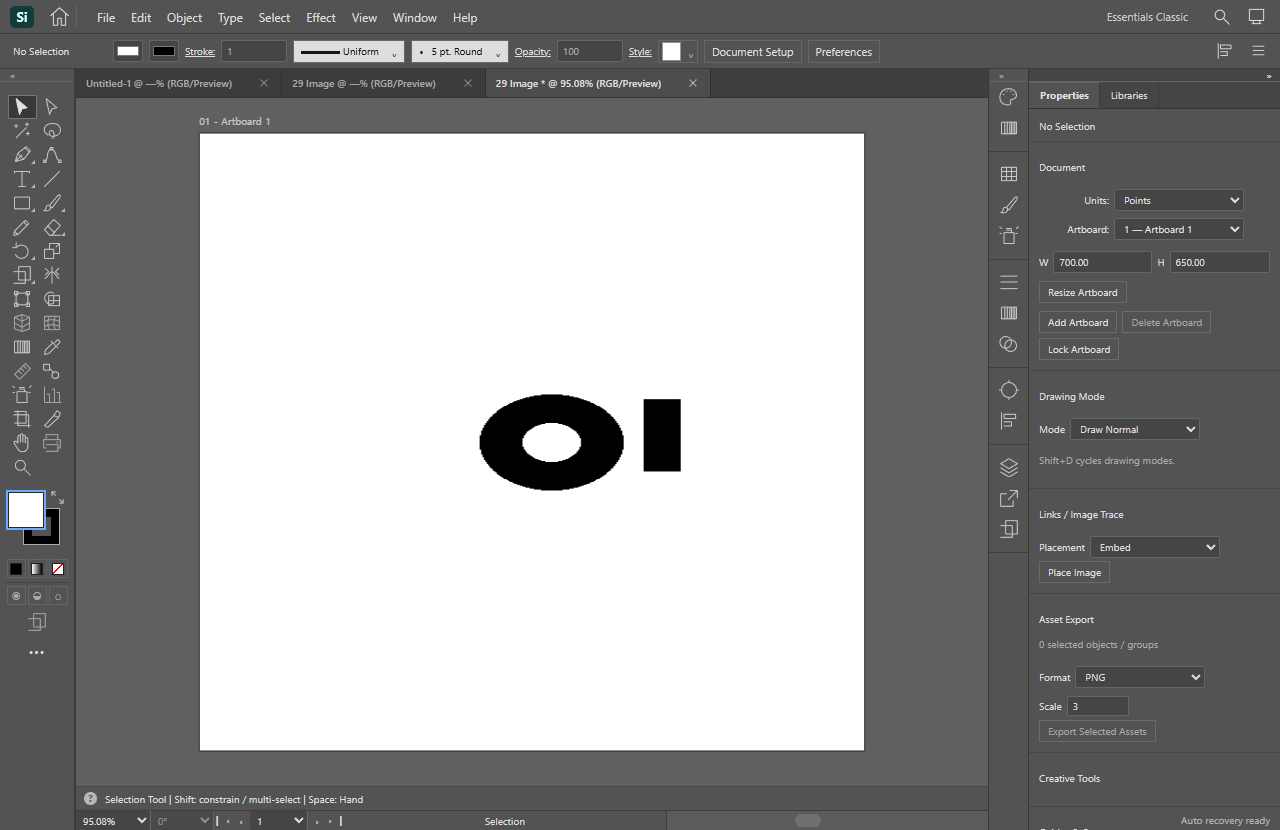
Draw a colored rectangle and place a smaller ellipse over it in the same layer and group. Select both and choose Object → Make Clipping Mask. The ellipse defines the visible area. The parts of the rectangle beyond it should reappear when you release the mask.
Save the native .vector.json document and reopen it. Select the clipping group and choose Object → Release Clipping Mask. Then undo the release. The same sequence works with an embedded image under a closed path. The two sample files start with their clipping groups already in place.
Download the vector sample · Download the embedded image sample
2. The document records which child is the mask
When you make the mask, Si takes the top selected item as the boundary and stores it as the first child of a clip object. Each child carries its own data. In the raster sample, the second child retains the embedded JPEG, its dimensions, and its transform.
The file loader checks that a clipping group has at least two children and that the first child is a closed path or compound path. The renderer rebuilds a Paper.js group and enables clipping on it. Release disables clipping and moves the children out of the group as separate objects.
src/editor/advanced.ts.item = new e.p.Group({
children: o.children!.map(child => restoreItem(e, child)),
insert: false,
});
if (o.objectType === 'clip') {
item.firstChild.clipMask = true;
item.clipped = true;
}3. What the browser checks showed
The earlier browser suite created both masks through Si’s editor controls. It also moved the vector group and checked that Undo and Redo restored its object data. For this article, we started a fresh local Edge session for each saved fixture and repeated the save, open, release, and Undo sequence.
Both saved files matched the editor snapshot. After reopening, the document matched that snapshot apart from the new document ID. Releasing each mask returned two objects and preserved the original artwork record. Undo restored the reopened group and its child data.
4. Scope and sources
The verification covers two native Si files in a local browser. The test captures the data passed to the file writer and reopens the resulting download through the editor. Native file-picker behavior, nested masks, SVG and PDF exchange, and the production editor are outside these checks.
Si uses its bundled Paper.js 0.12.18 library under the MIT license for rendering. Si’s document format and release command are in the editor source. Adobe’s documentation served as a reference for clipping behavior. Paper.js Group reference · Paper.js license · Adobe Illustrator clipping masks