Building a free Photoshop alternative
Reassemble the color
Channel Mixer did not require inventing new color mathematics. With AI, we connected a known RGB weighted sum to existing adjustment layers, output controls, constants and saved settings.
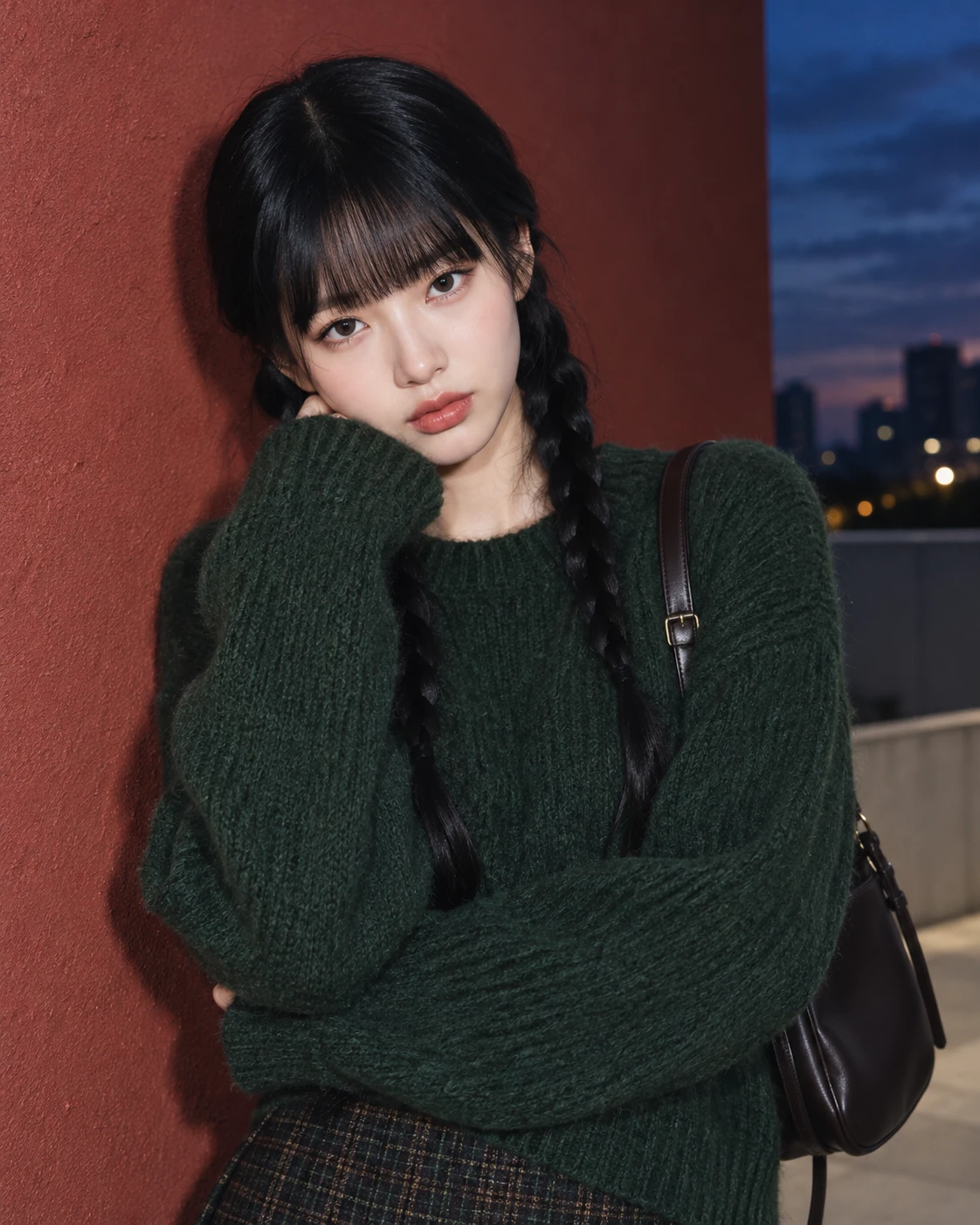
AI-generated study photograph. Editor captures and outputs show Photoshot in use.
From the source.
The mathematics was already available
Channel mixing describes how much each original RGB component contributes to an output. The mathematics was established; Photoshot also already had settings storage, masks and opacity compositing. Our work with AI joined the calculation, controls and document model.
Adobe documentation informed the meaning of output channels and monochrome. The excerpts below come from Photoshot’s public implementation, keeping behavior references separate from implementation sources.
Separate outputs from inputs
Selecting the red output does not mean changing only the original red component. It selects three input contributions and a constant for that output. Across three outputs, this makes twelve numeric settings.
The implementation multiplies normalized RGB by the selected percentages, adds the constant, divides by 100 and clamps to 0–1. The displayed total is guidance; the code does not automatically normalize the percentages to 100%.
L166–184Photoshot implementation ↗
  mixer: {
    name: '채널 혼합',
    description: '출력 채널을 원본 RGB 채널의 비율로 만듭니다.',
    controls: ['r', 'g', 'b']
      .flatMap((c) =>
        ['R', 'G', 'B', 'Constant'].map((v, i) =>
          control(
            c + v,
            ['빨강', '초록', '파랑', '상수'][i],
            -200,
            200,
            c === v.toLowerCase() ? 100 : 0,
            1,
            c,
          ),
        ),
      )
      .concat(control('mono', '단색', 0, 1)),
},Inside the
calculation.
A constant is not layer opacity
A constant of +10 adds 0.1 to the computed component and may clip bright values. Layer opacity acts later, blending the transformed image with the original.
As a numerical illustration, swapping red and blue in RGB 170/130/110 gives 110/130/170. Blending at 70% yields 128/130/152 before rounding. These are explanatory samples, not measurements taken from the portrait.
Monochrome through the same structure
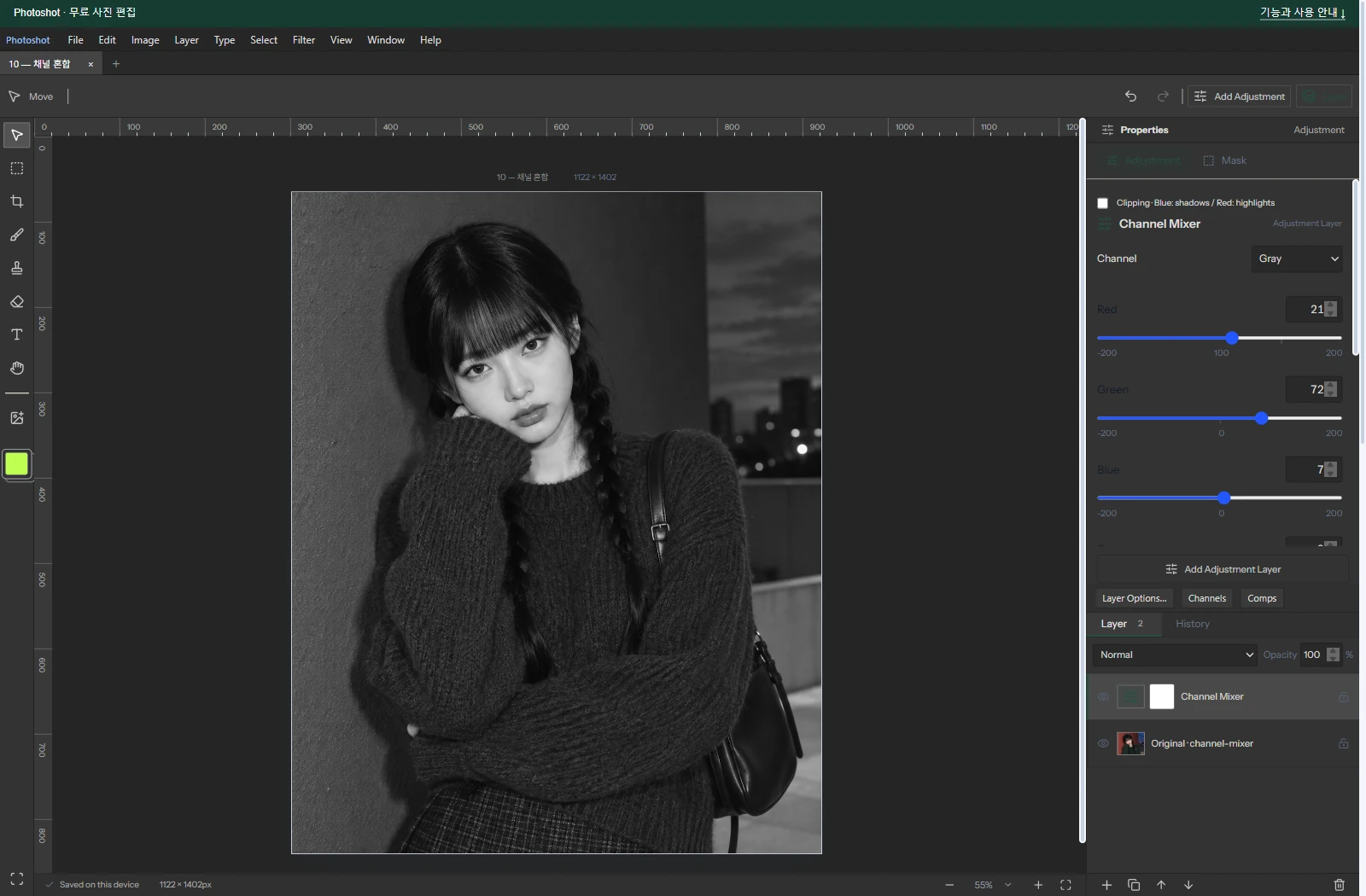
With monochrome enabled, every output reads the red output’s settings. The same weighted value is written to R, G and B.
Part 9’s Black & White adjustment mixes six hue ranges. Monochrome Channel Mixer weights RGB components. They can both create gray images, but their controls describe different calculations.
Read the code.
L720–727Photoshot implementation ↗
    if (t === 'mixer') {
      for (let c = 0; c < 3; c++) {
        const key = v.mono ? 'r' : 'rgb'[c];
        out[c] = clamp(
          (r * v[key + 'R'] + g * v[key + 'G'] + b * v[key + 'B'] + v[key + 'Constant']) / 100,
        );
      }
}L836–853Photoshot implementation ↗
    beforeRGB: RGB = [0, 0, 0],
    mixed: RGB = [0, 0, 0];
  for (let i = start; i < end; i += 4) {
    if (!data[i + 3]) continue;
    let amount = opacity * (mask ? mask[i + 3] / 255 : 1);
    if (blend === 'dissolve') amount = pixelNoise(i / 4) < amount ? 1 : 0;
    if (!amount) continue;
    compiled(data[i], data[i + 1], data[i + 2], out);
    for (let c = 0; c < 3; c++) beforeRGB[c] = data[i + c] / 255;
    if (a.values.dither && (a.type === 'lookup' || a.type === 'gradient'))
      for (let c = 0; c < 3; c++) out[c] = clamp(out[c] + (pixelNoise(i / 4) - 0.5) / 255);
    blendRGB(beforeRGB, out, blend, mixed);
    for (let c = 0; c < 3; c++)
      data[i + c] = Math.round(clamp(beforeRGB[c] + (mixed[c] - beforeRGB[c]) * amount) * 255);
  }
}L253–265Photoshot implementation ↗
export function isIdentityAdjustment(a: Adjustment): boolean {
  if (a.type === 'lookup') return !a.cube;
  if (a.type === 'curves') return channels.every((c) => a.curves![c].every((p) => p.x === p.y));
  if (a.type === 'photo') return a.values.density === 0;
  if (['blackwhite', 'gradient', 'invert', 'posterize', 'threshold'].includes(a.type)) return false;
  if (a.bands?.some((b) => b.hue || b.saturation || b.lightness)) return false;
  return definitions[a.type].controls.every(
    (c) =>
      ['preserve', 'relative', 'skin', 'legacy', 'colorizeHue', 'colorizeSaturation'].includes(
        c.key,
      ) || (a.values[c.key] ?? c.initial) === c.initial,
  );
}In the editor.
Where the code meets the photograph
The saved project and captured panel use Monochrome on, Red 21, Green 72, Blue 7, Constant 0 and layer opacity 100%. An AI-generated portrait was edited and exported in the actual Photoshot application.
Today’s public adjustment checks passed for identity, alpha, project roundtrip and compositor parity across all sixteen adjustment types, including mixer. This does not establish full Photoshop equivalence. Part 12 turns to importing color lookup tables.
The visible result.
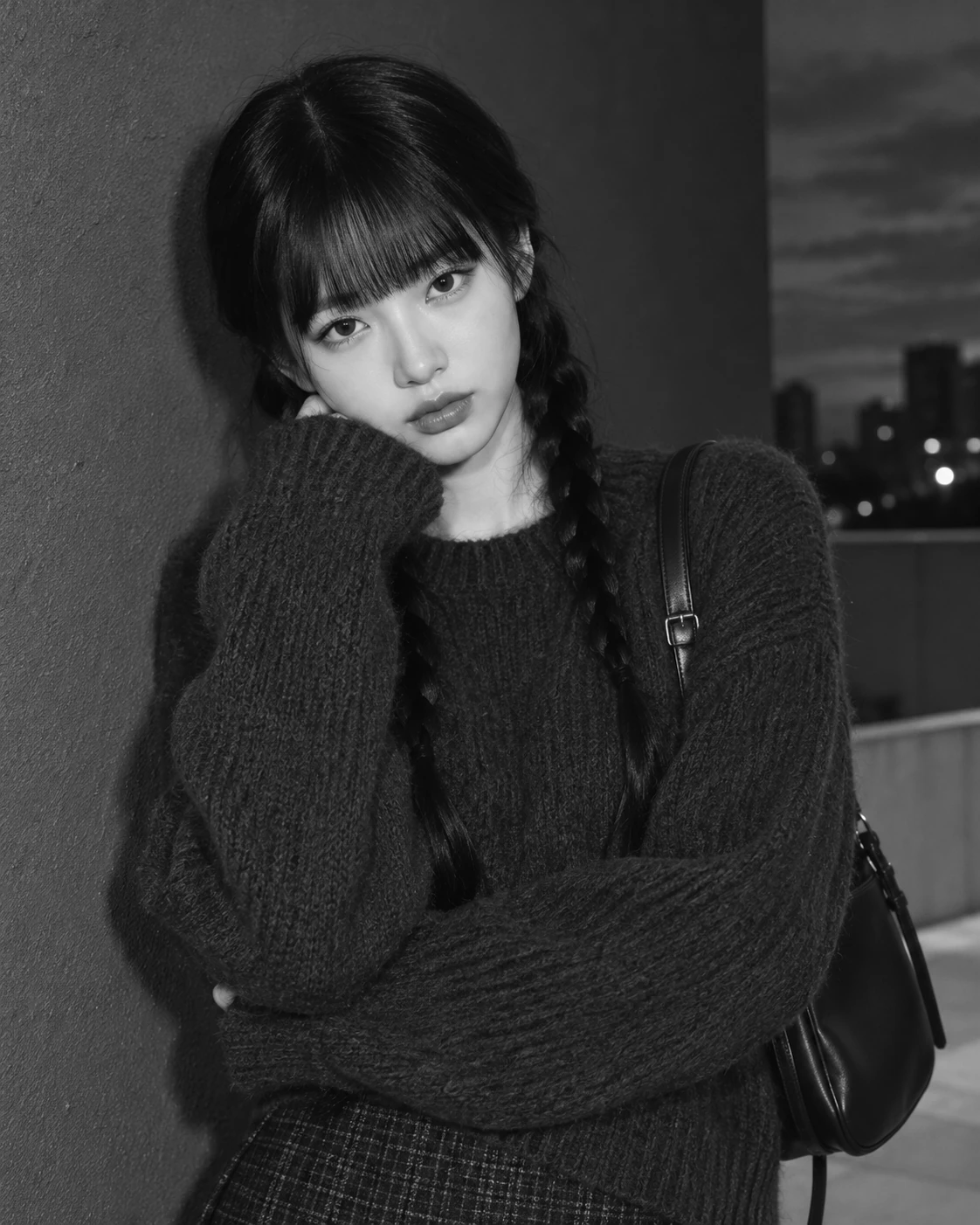
AI-generated study photograph. Editor captures and outputs show Photoshot in use.