Blender add-on installer
Cloth physics, motion and garment tools, plus dynamic tearing and a self-collision bake.
Install the ZIP in Blender without extracting it.
ZIP · 26.6 MB · Korean add-on UI
SLOHERO OPEN TOOLS · 001
Free Blender add-on · v0.7
From cloth simulation to patterns, sewing, sculpted folds and finishing. Work through the process in Blender with tools we built ourselves.
Cloth Lab adds creation and control tools to Blender’s cloth physics. Start with product wraps, fabric in motion or character garments. The add-on interface is currently in Korean; this page provides an English guide.
Tested on Windows · Blender 4.5.14 / 5.2.2
Dynamic tearing and its self-collision bake require Blender 5.2+
Installer and source available · GPL-3.0-or-later
WHY WE BUILT IT
Making a sheet of cloth move convincingly takes more than material settings. Mesh density, pins, collisions, forces, shading and lighting all matter. Cloth Lab began as a way to bring these scattered controls and steps together.
We independently implemented a broad set of the main workflows shown in publicly available Simply Cloth Studio 2.0 materials. From basic cloth controls to patterns, extraction, sewing, wrinkles and finishing, our aim is to make comparable workflows available for free.
We did not use the original add-on’s code or bundled garment assets. Blender handles the core physics, while Cloth Lab connects and controls the workflow and adds contact calculations for the experimental self-collision bake.
See the implementation scope ↗THE COMPLETE TOOLSET
Panels 1–9 cover physics and motion.
Panels 10–14 cover garment creation and finishing.
Panel 15 adds dynamic tearing.
Open a feature to see what you can control.
Adjust mass, tension, compression, shear, bending and damping. Choose from nine starter presets, then save and load your own fabric settings.
Inflate closed cloth, shorten fabric and use sewing or internal springs to control how the shape forms.
Set collisions against products or bodies, as well as contact between parts of the cloth. Adjust distance, friction, quality and excluded regions.
Use pins and weights to choose where to hold the cloth. Hooks and keyframes control moving, gathering and releasing it.
Set the gravity multiplier and Wind, Force, Vortex, Turbulence or Drag. Animate the strength and position of forces over time.
Paint weights to stiffen or shrink selected areas. Manage pin, pressure and collision regions, along with simulation mesh density.
Inspect folds and clean up the surface. Adjust visible thickness and smoothing after simulation.
Add fine wrinkles to the larger motion and control their direction and strength. Preserve fixed-topology motion as shape key animation.
Set calculation quality and the frame range, then manage baking, resetting and playback. Clear the cache and recalculate after changing the cloth settings.
Create cloth from six starter patterns, curve outlines or points placed on a body. Extract garment pieces from painted regions and use mirroring, fitting and the library.
Connect A/B boundaries between pieces. Resample boundaries with different vertex counts, manage named seams, close matching boundaries and exclude openings.
Make an editable copy of the current shape and work with 18 cloth and boundary brushes. Access masking, multiresolution, dynamic topology and QuadriFlow.
Generate weights from fold angles at the current frame and subdivide selected areas. Control reinforcement of raised folds, creases and seams separately.
Create static tears, holes and borders, adjust local bending or inflation, and add UVs or seven procedural materials. Drive a high-resolution surface with a low-resolution simulation.
Cloth separates under load during simulation. Control the fracture threshold, allowed edges or fragment patterns, pins, grabs, collisions and caching. This is an experimental Blender 5.2 XPBD mode; v0.7 adds self-collision through a dedicated bake.
You are not limited to choosing finished animations. Blender calculates the shape frame by frame from your mesh, cloth properties, pins, forces and collisions. Animate the grab positions or forces to design the motion.
INSIDE BLENDER
Captured in Blender with Cloth Lab v0.5
using the included example scenes. The UI is in Korean.
Click an image to view it at full size.
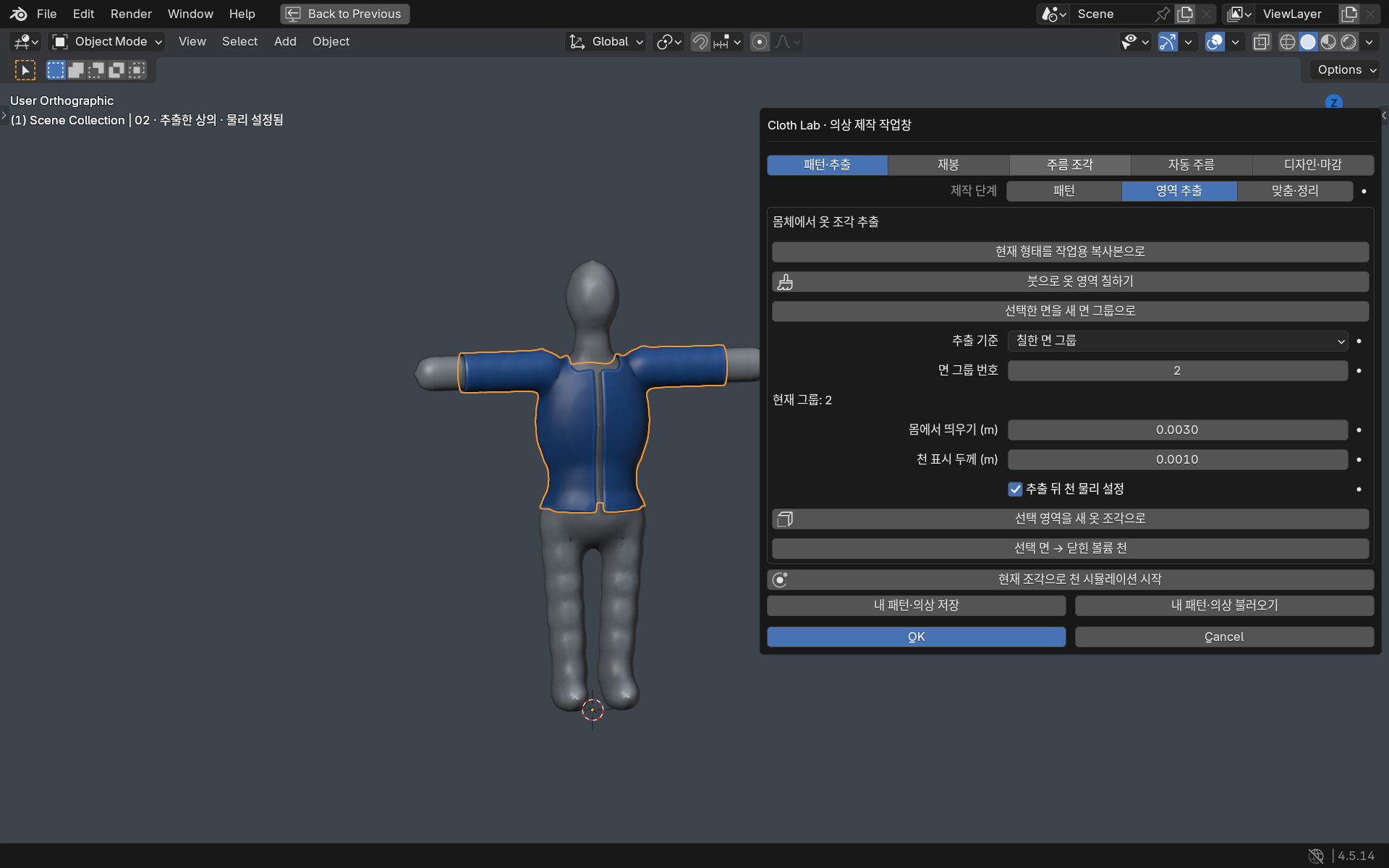
Select faces or paint a mask on the fitting model to extract a piece. Set its distance from the body and visible thickness, then add cloth physics.
 Enlarge ↗
Region extraction example · body offset 0.003 m · visible thickness 0.001 m. These are editable demonstration scenes, not finished garment animation bakes.
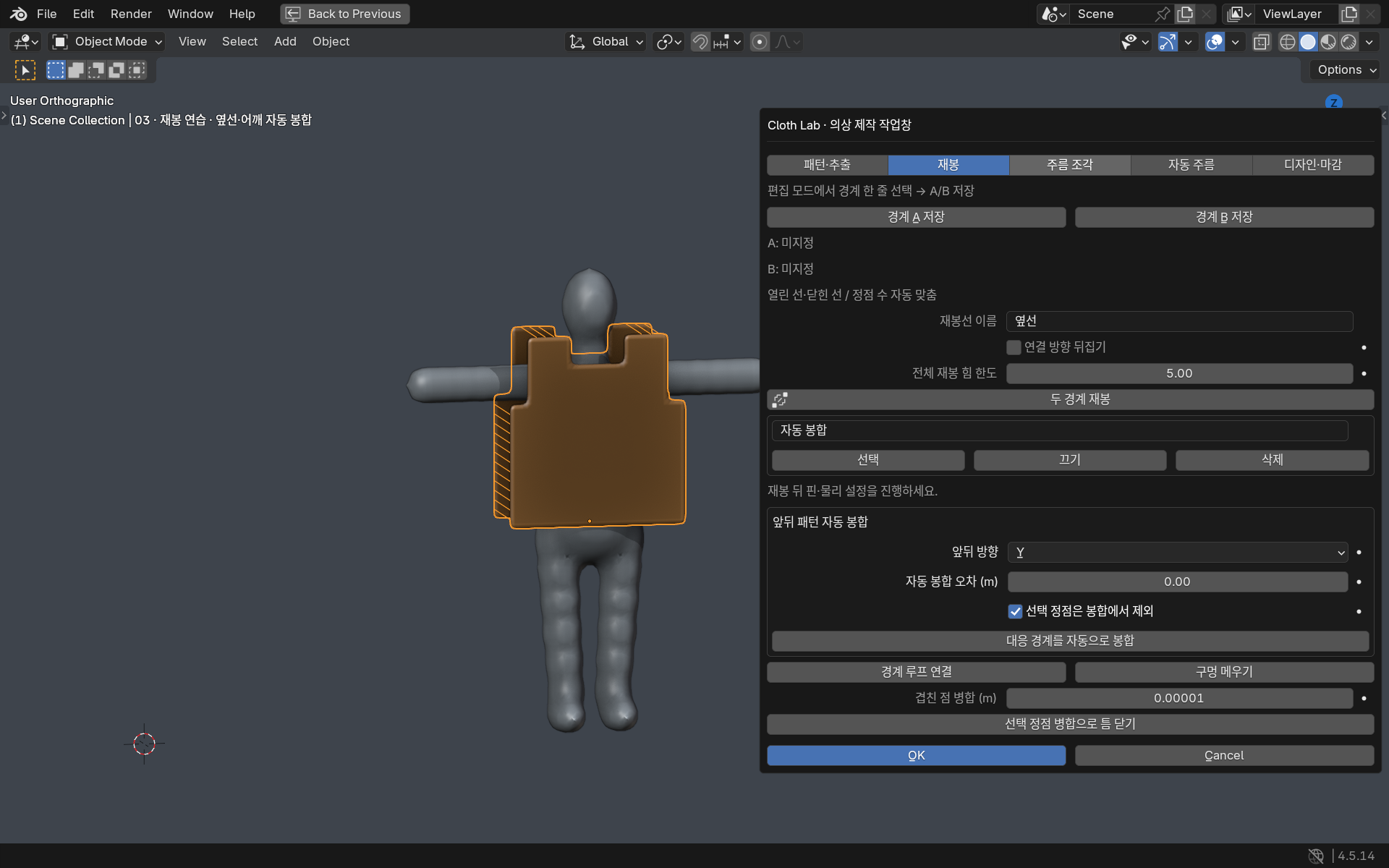
Save A/B boundaries for sewing or automatically join matching front and back pattern boundaries. Exclude necklines, sleeves and hems, and select, disable or delete named seams.
 Enlarge ↗
Sewing practice with our original vest pattern · editable starting state. These are editable demonstration scenes, not finished garment animation bakes.
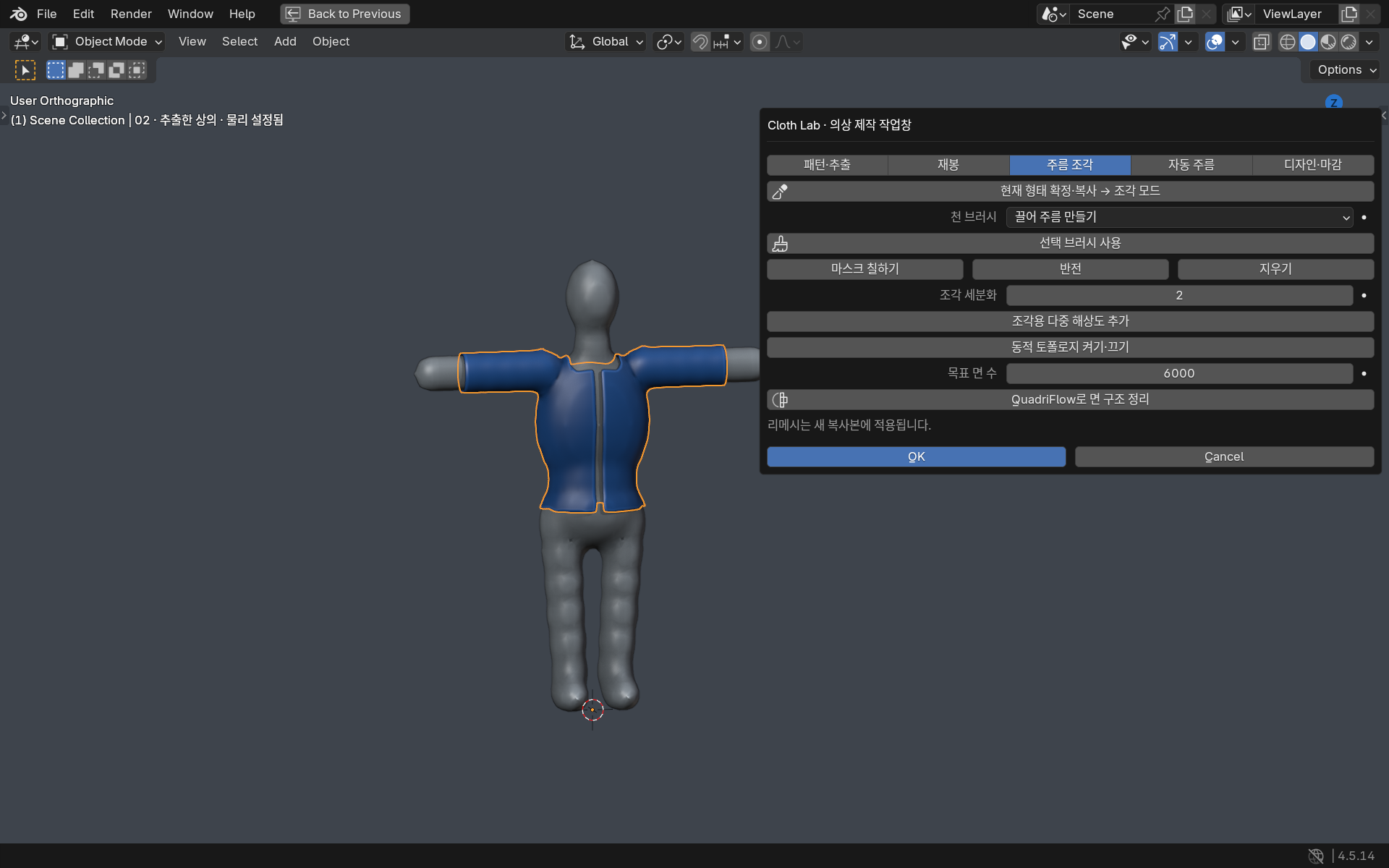
Preserve a frame you like as a new mesh, then gather, drag or inflate it with brushes. Protect pinned regions with masks and clean up the topology.
 Enlarge ↗
Actual panel connecting Blender’s built-in cloth and boundary brushes. These are editable demonstration scenes, not finished garment animation bakes.
Generate weights from fold angles and a threshold at the current frame. Control the effect with local subdivision and displacement limits.
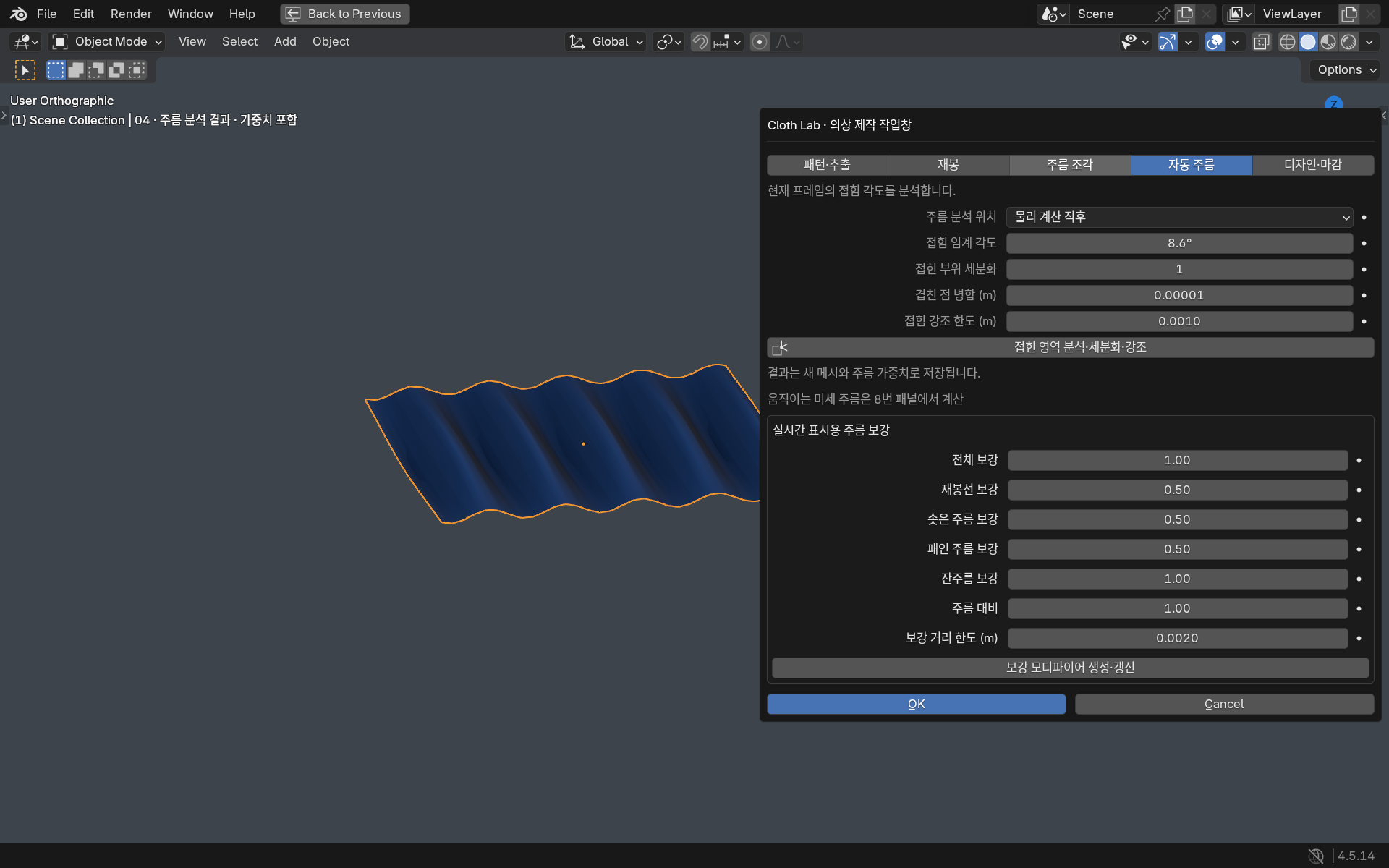 Enlarge ↗
Fold-analysis example geometry. This is not a physics solver that automatically changes topology during playback. These are editable demonstration scenes, not finished garment animation bakes.
Turn selected boundaries into borders and refine thickness, UVs and fabric materials. Transfer motion calculated on a lightweight mesh to a high-resolution surface.
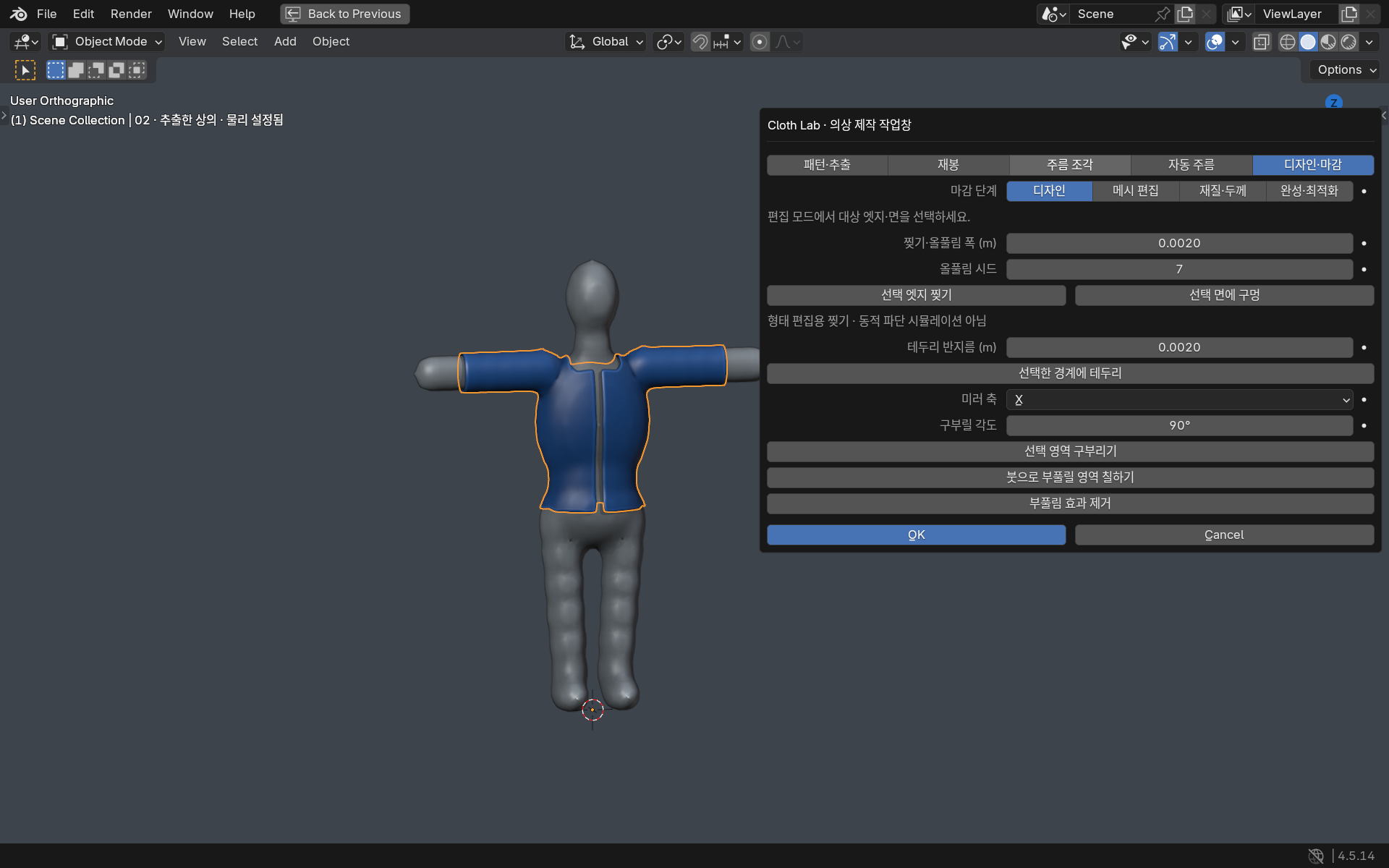 Enlarge ↗
Finishing an extracted top while preserving the original. These are editable demonstration scenes, not finished garment animation bakes.
NEW IN v0.7 / SELF COLLISION
Self-collision is now available for dynamic tearing.
Adjust contact distance and friction,
then play back the baked result.
Requires Blender 5.2 or newer. Cloth Lab applies contact corrections to positions and velocities between the built-in physics steps. This is an experimental bake workflow, not part of regular Space-bar preview. A separate result object is created when the bake finishes.
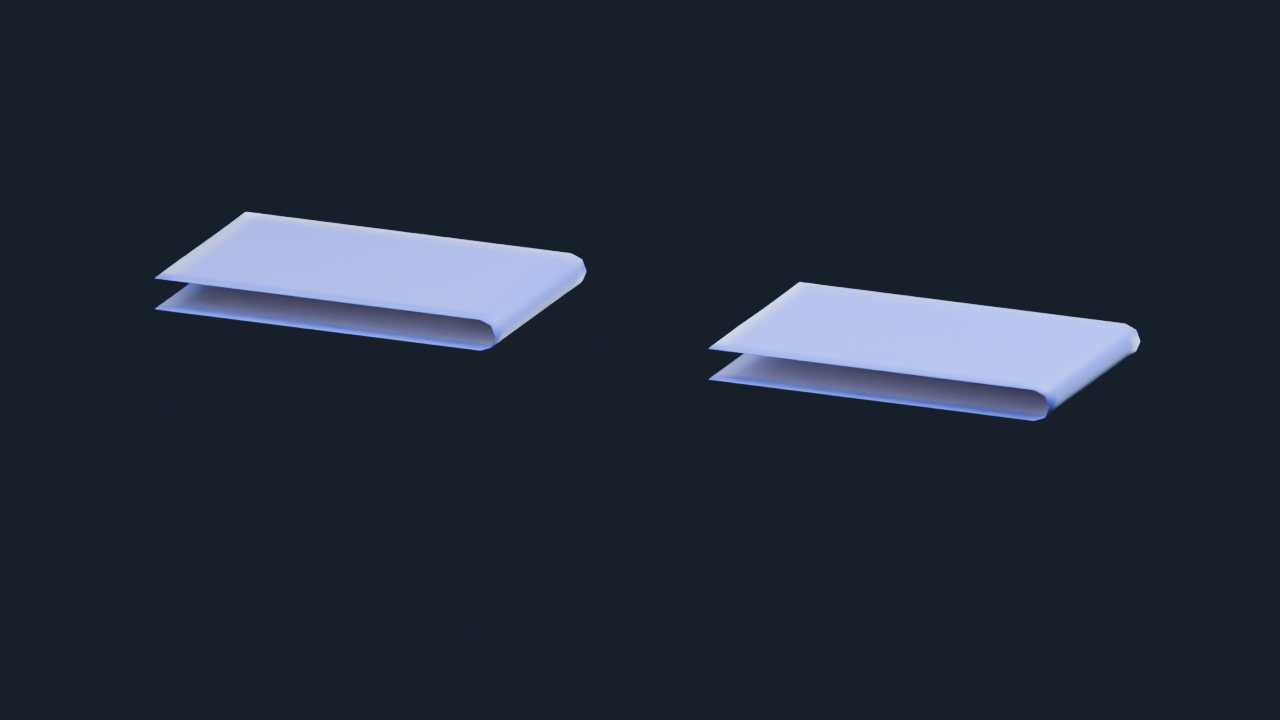
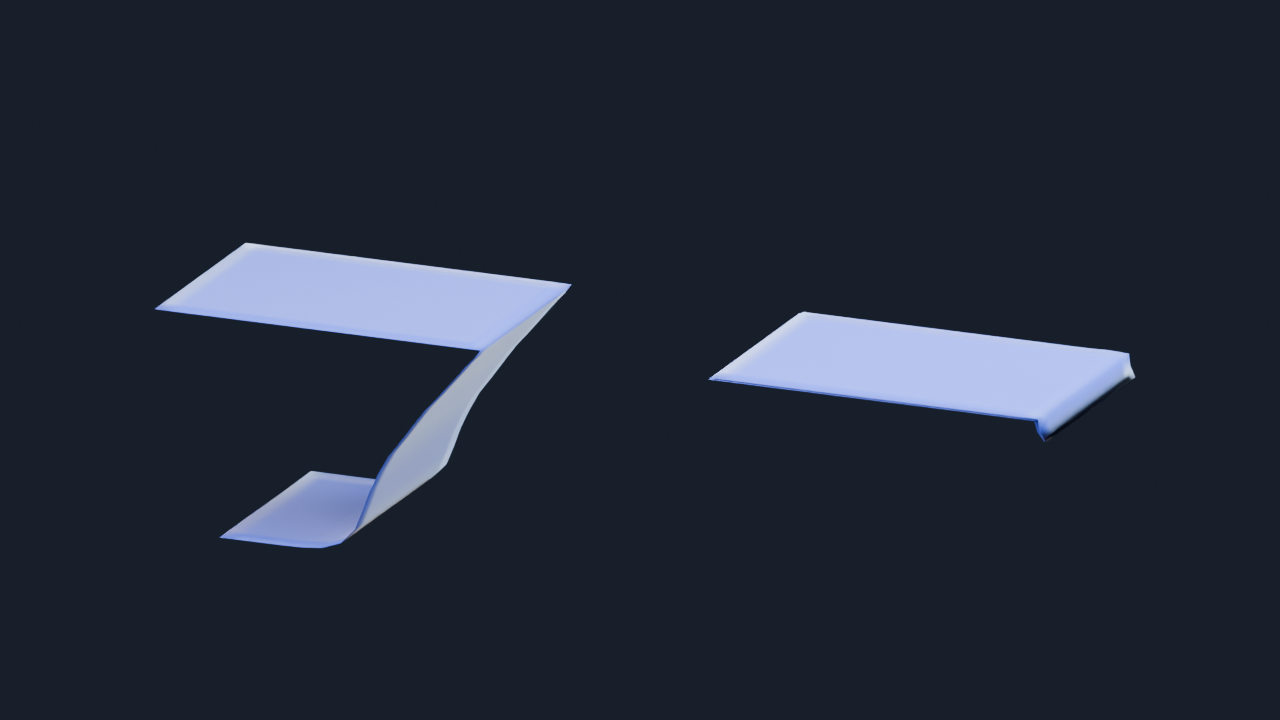
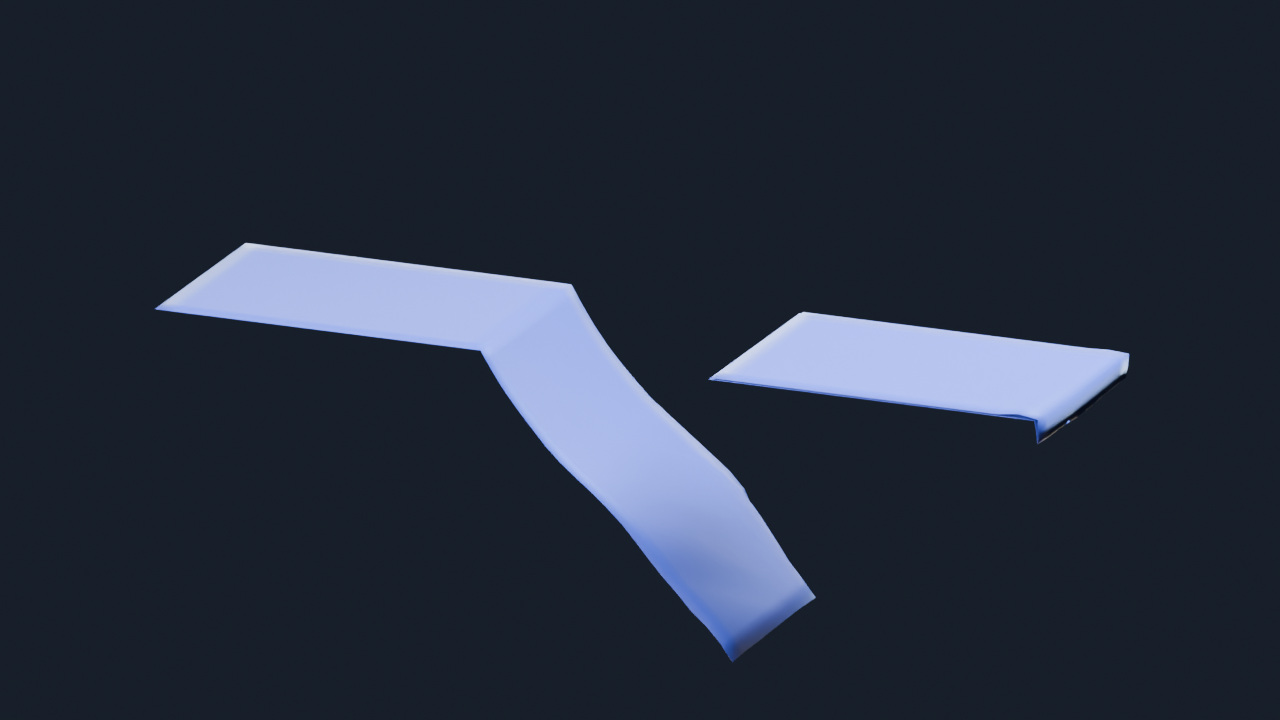
Left: OFF. Right: ON. Each result is a single sheet pinned along its lower section. The starting shape and physics settings match; only self-collision differs. Results are placed side by side for comparison. We also checked intersections of the actual simulation surfaces, excluding display thickness.
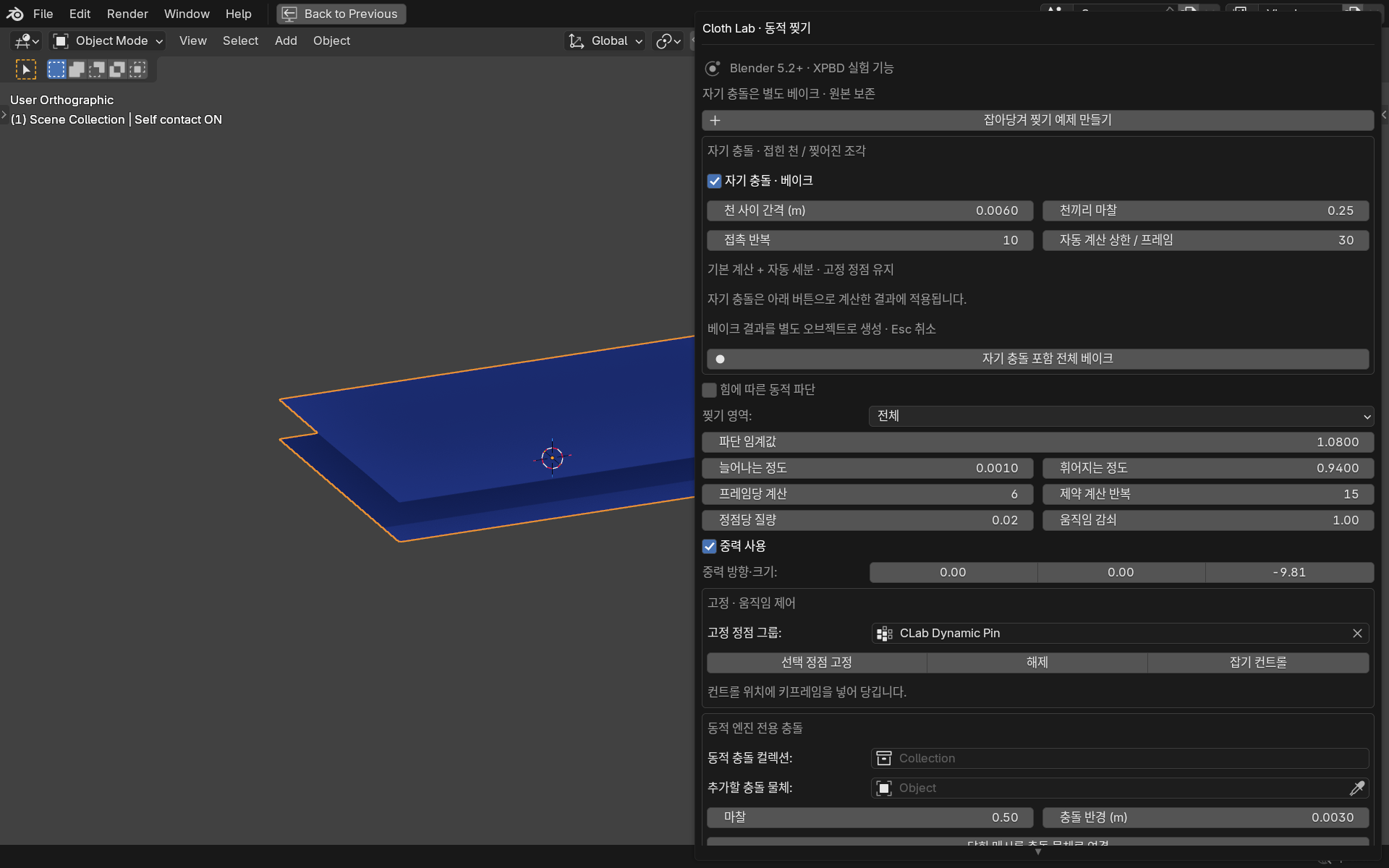
Use Cloth gap to set the separation between surfaces. The example uses 0.006 m, or about 6 mm. Avoid a value that is too large relative to the mesh spacing.
Increasing Cloth friction reduces sliding during contact. The example uses 0.25 and keeps the pinned vertices fixed.
The example uses 10 contact iterations, 6 base steps and an adaptive step limit of 30. Faster motion requires more calculation.
Configure → Full bake with self-collision → Play → Ctrl+S. Press Esc to cancel a bake. Use Return to source cloth on the result to edit the original settings and bake again.
Includes vertex–triangle and edge–edge contact, friction, pins, contact after tearing and movement limits when faces intersect. Calculated meshes are stored frame by frame in the .blend file, so a completed result can play in the same Blender version without the add-on. This solver does not guarantee exact continuous collision detection. Extreme speeds or initially intersecting meshes may require higher quality or an adjusted starting shape. Calculation time and file size increase with mesh and frame count.
Blender 5.2.2 · side-by-side comparison, frames 1–30 · source and baked results included · playback, save and reopen verified
DYNAMIC TEARING / AVAILABLE SINCE v0.6
Connections separate during simulation.
The cloth is not simply switching
between pre-cut shapes.
Connects Blender’s built-in Cloth Dynamics / XPBD to Korean controls, region selection, grab controls and cache storage. This mode is experimental; v0.7 adds a self-collision bake. It is separate from the standard cloth settings in panels 1–9.
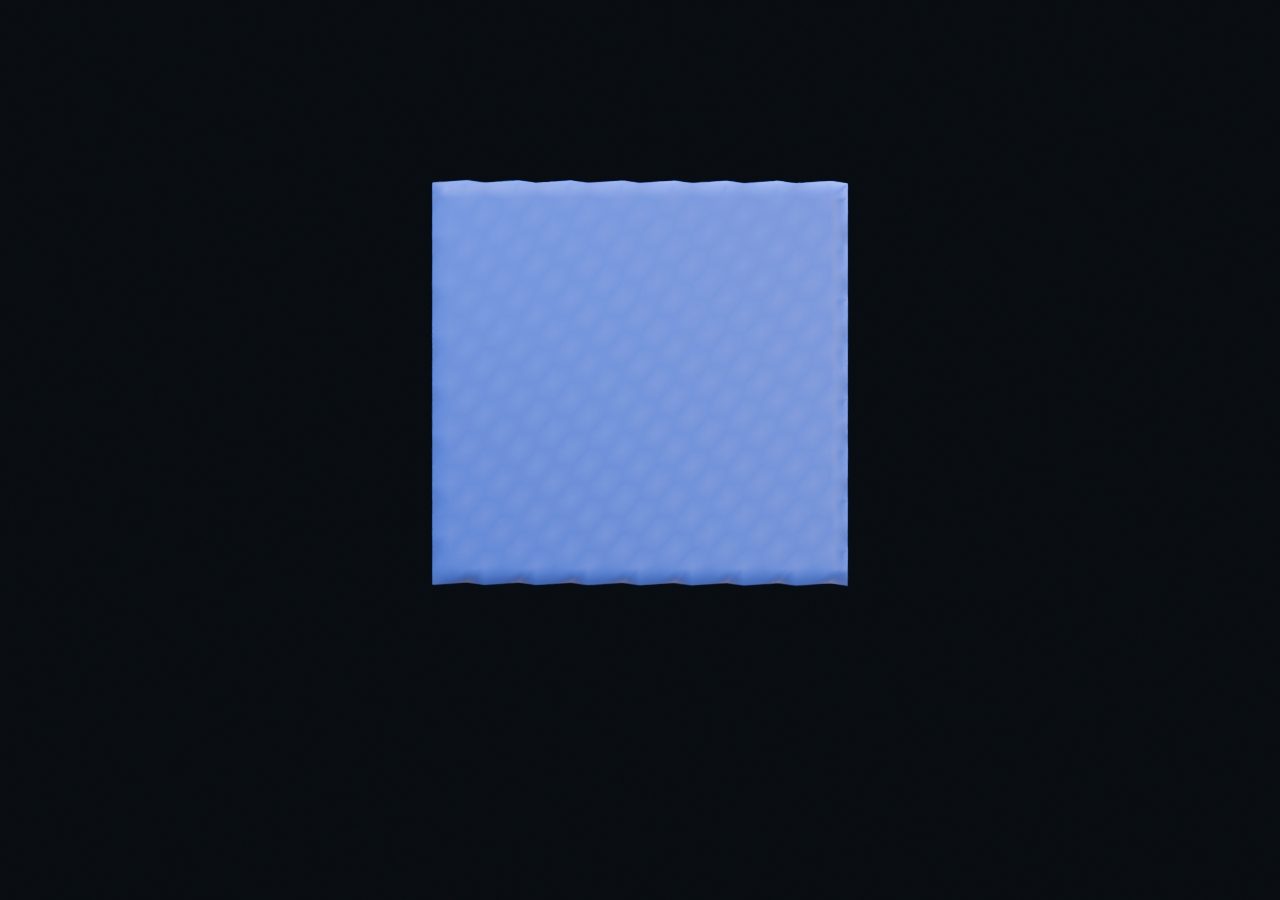
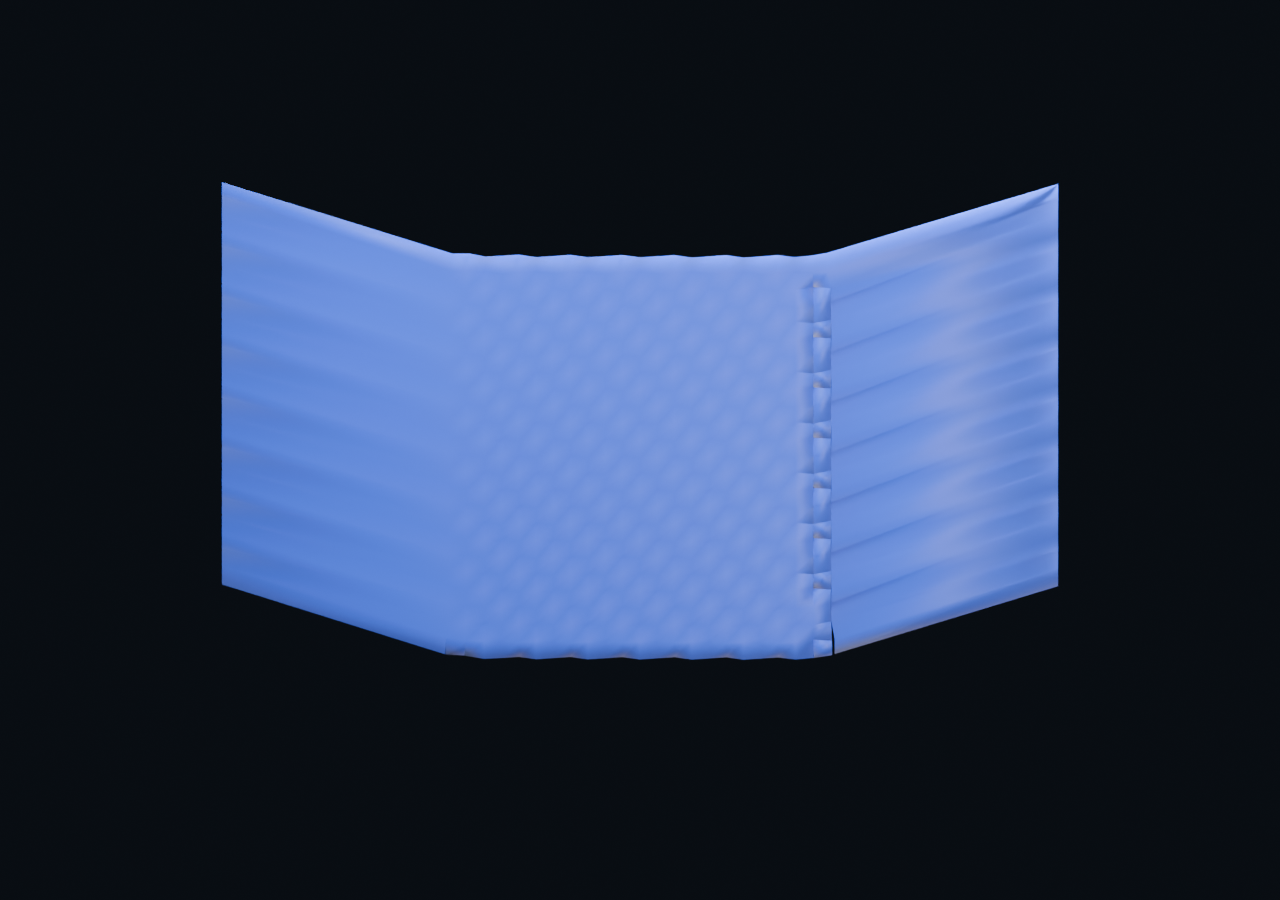
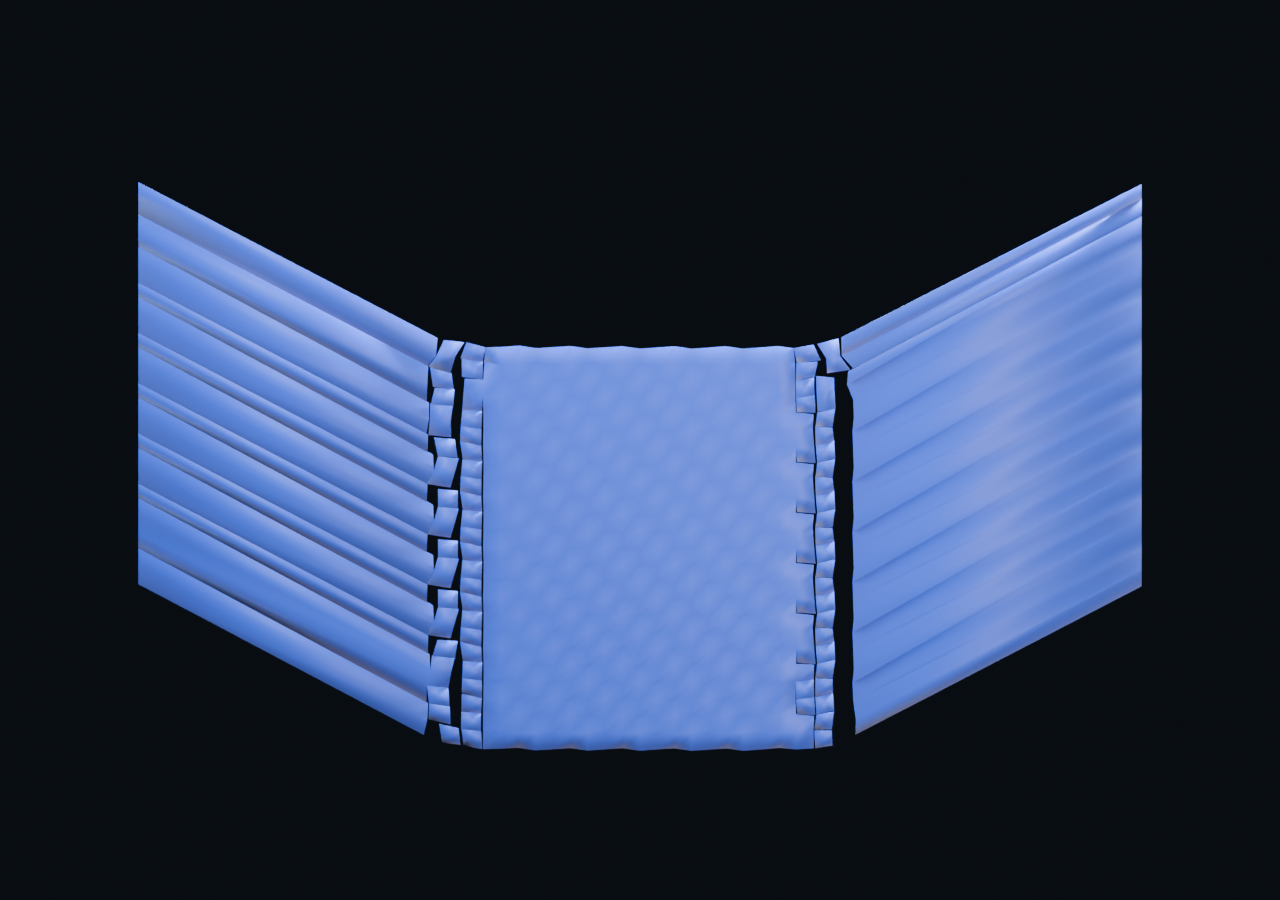
A verification example calculated with one cloth mesh and a consistent set of settings. The source mesh is not cut into pieces or replaced frame by frame to produce the tear. We tested the separation of the 625-vertex starting mesh during calculation and the unbroken response at a higher threshold.
Choose the whole cloth, selected edges or a fragment pattern. Selecting allowed edges in Edit Mode restricts tearing to those regions.
A higher fracture threshold increases resistance to tearing. The example uses 1.025; stretch and calculation quality also affect the result.
Select the vertices to pin and create grab controls. Keyframe their positions to set the direction and timing of the pull.
Select your cloth and start with Preserve original → Dynamic cloth copy. Use closed, watertight meshes as colliders. Because vertex counts can change, save this mode’s results through the dedicated bake in panel 15.
Frames 1–72 · 24 fps · simulation cache included in the .blend · save and reopen verified in Blender 5.2.2
FROM SETUP TO FINISH
Presets are starting points.
Match them to your scene scale and mesh,
then test short ranges and refine.
Make a grid or choose one of six patterns, or extract pieces from a body. Sew the required boundaries before simulating a garment.
Creation tools · panels 10–11Set bending and stretch, and add collision to the product or body. Use pins, grabs and forces to direct the motion.
Panels 1–6 · collider panelPlay from the first frame and check for intersections or excessive stretch. When the result looks right, choose the range and bake the cache.
Panel 9 · recalculate after settings changeRefine wrinkles, brush work, thickness and materials. Connect a high-resolution surface or preserve the motion as shape keys.
Panels 7–8 and 12–14Check stretch, bending, mesh density, scene scale and pin spacing before changing the shader. Build large folds through physics and geometry, and add fine fibers through materials. Wrinkle enhancement and simulation are separate steps.
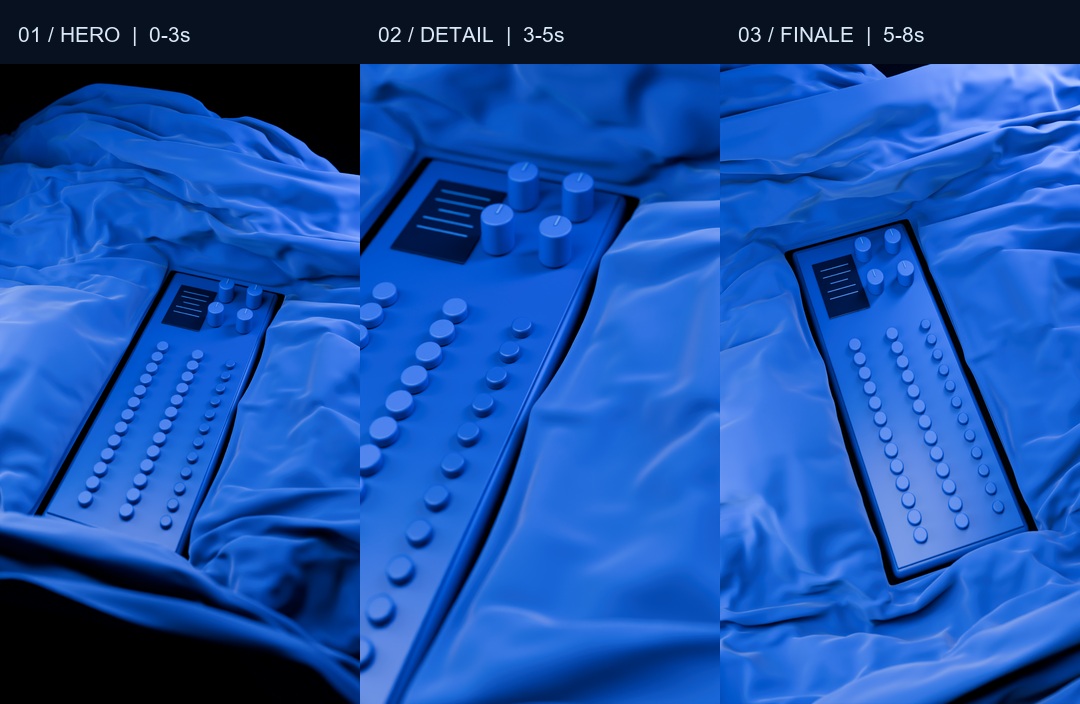
8 seconds · 1080 × 1920 · 24 fps · silent
MADE WITH CLOTH LAB / 01
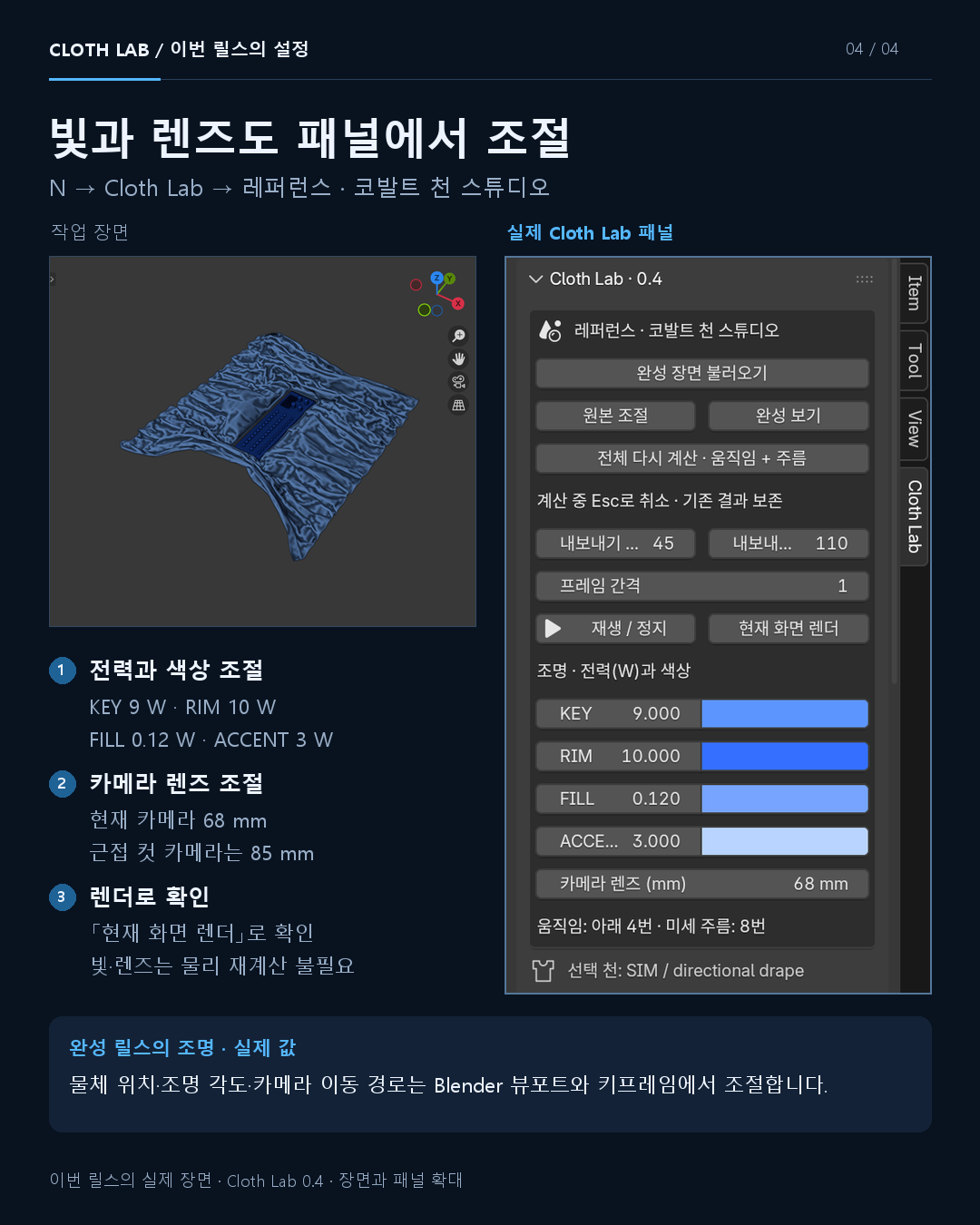
We created gathering and flowing motion, then used three camera views and side lighting to reveal the folds.
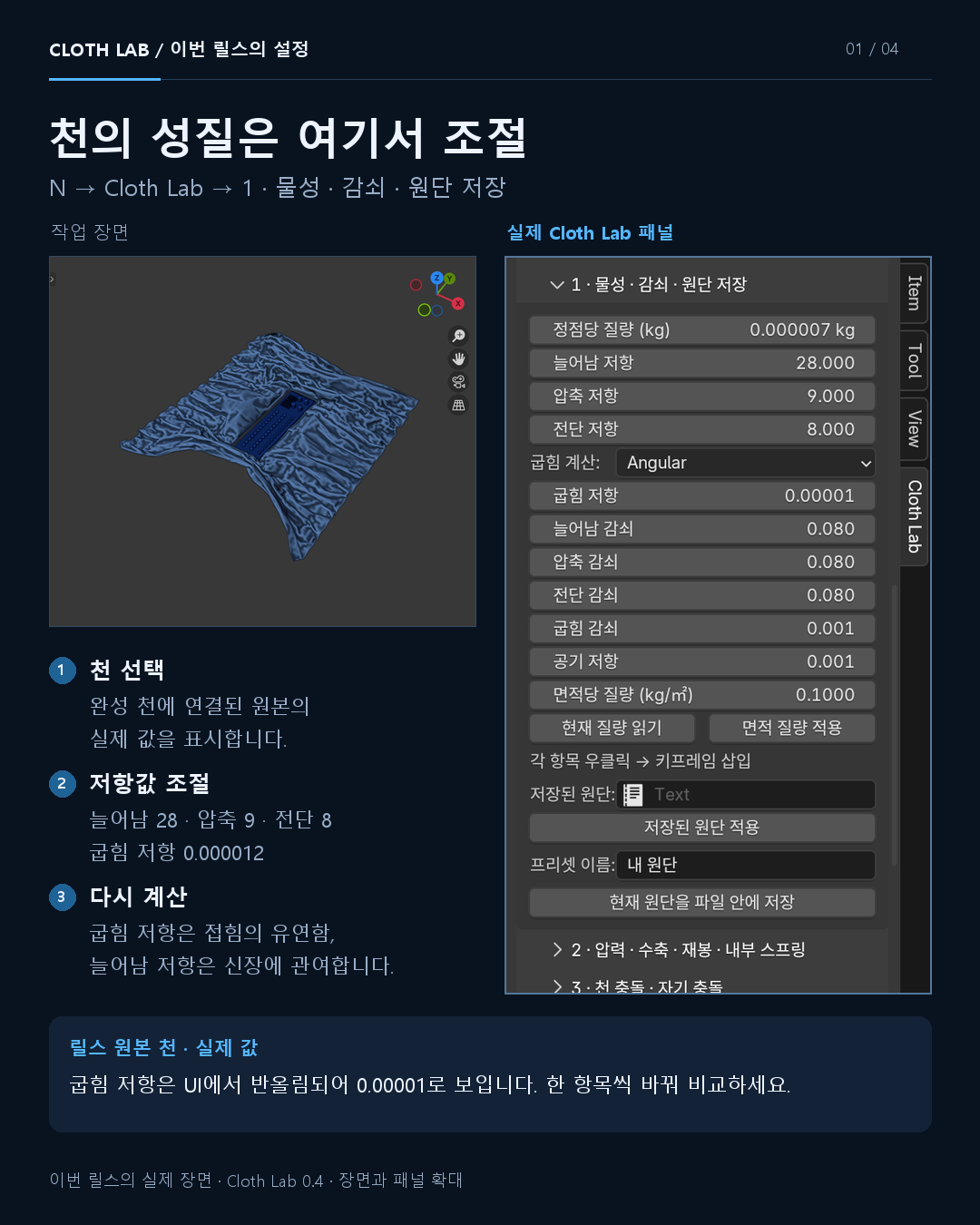
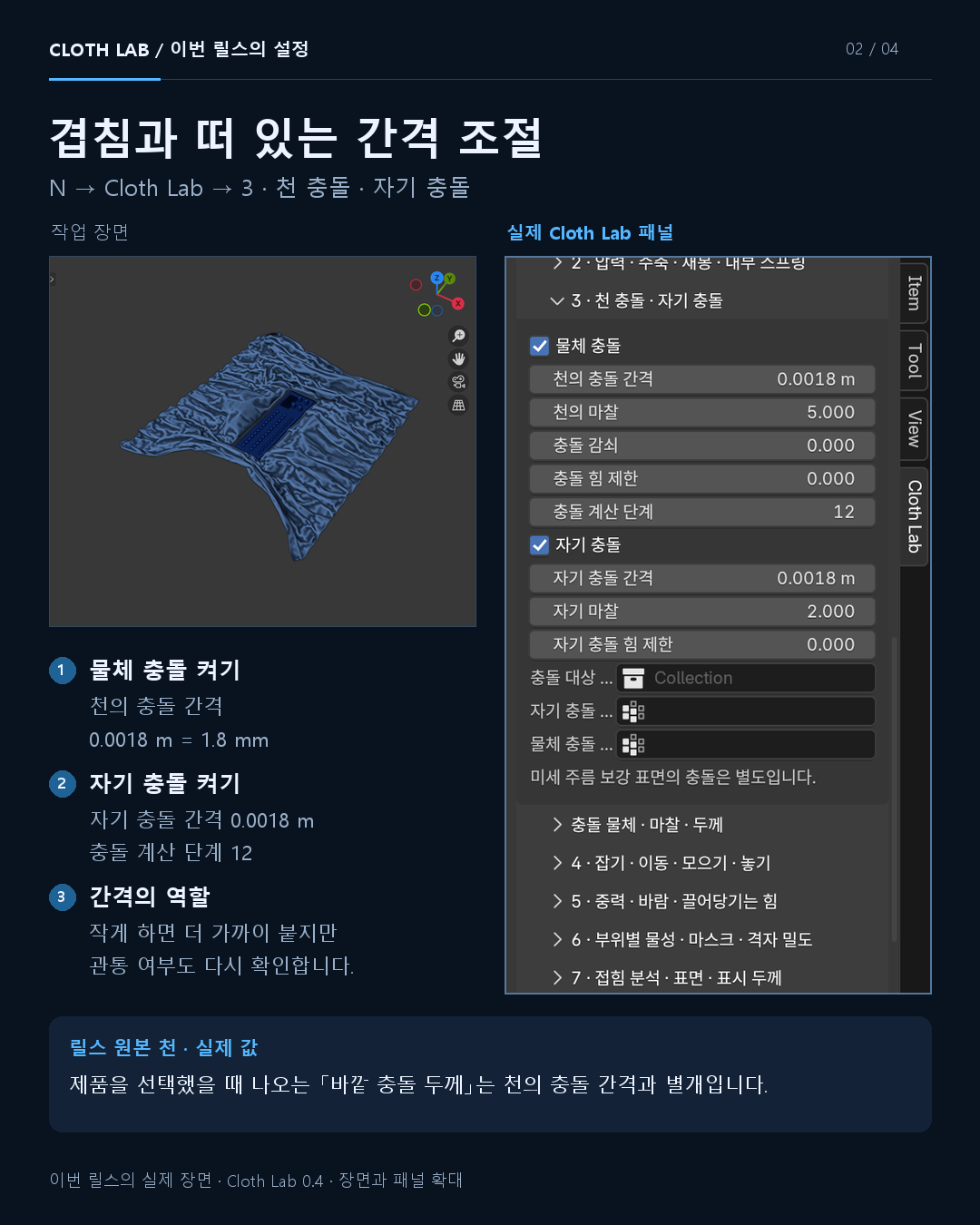
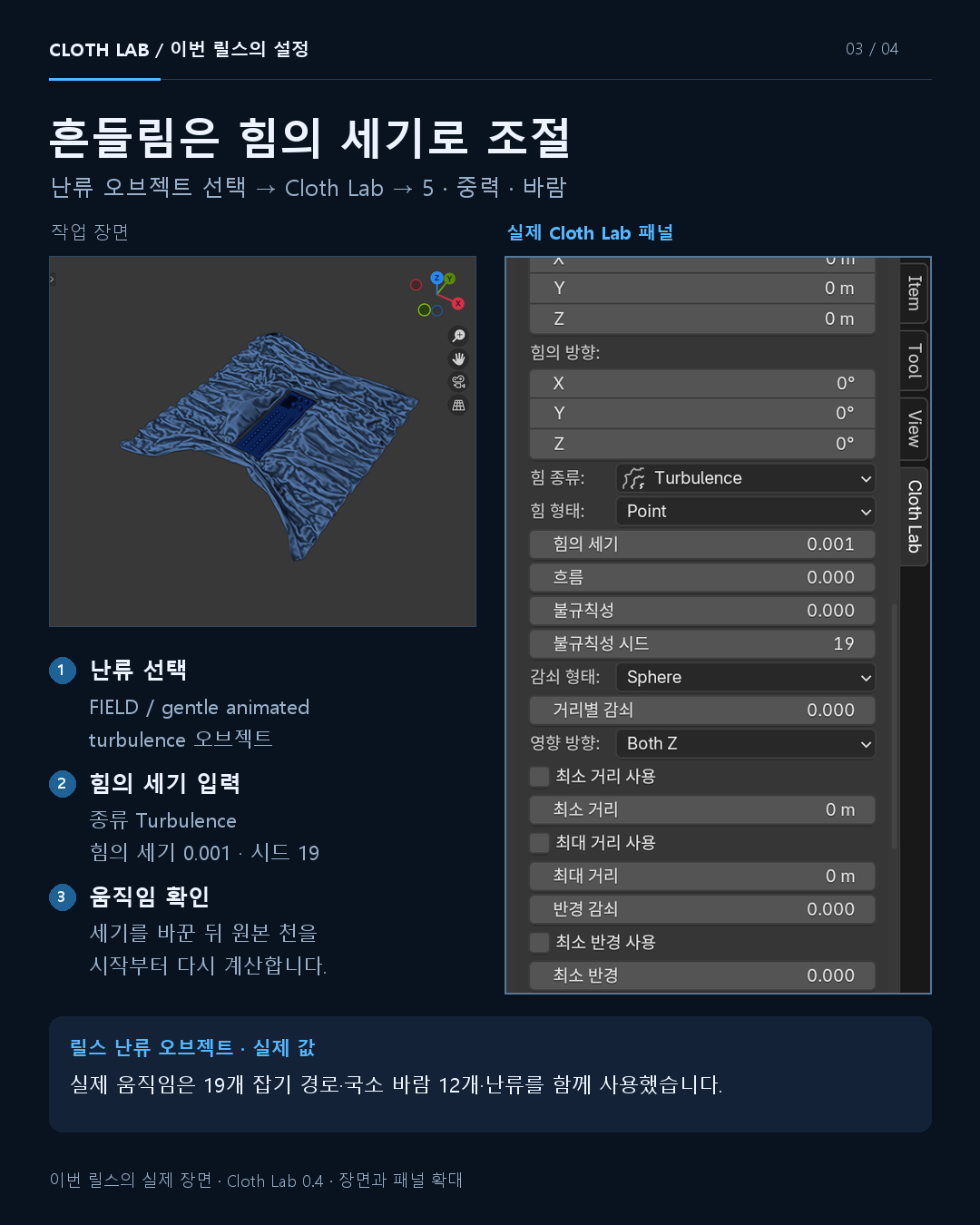
Made with the physics, grab, force and collision controls in Cloth Lab v0.4. The settings below describe this reel, separately from the garment tools added in v0.5.
These values are specific to this scene. Copying them to a different scale, mesh or frame range will not reproduce the same result. The reel edits 78 calculated poses across three views.
Visual reference: Original Cinema 4D cloth breakdown ↗
A new scene created with Cloth Lab and Blender.
INDEPENDENT IMPLEMENTATION
We independently built tools for the main
publicly demonstrated workflows. Similar purposes
do not mean identical algorithms, assets or results.
| Workflow | What Cloth Lab provides | Implementation and distinctions |
|---|---|---|
| Cloth physics & motion | Fabric presets, collisions, pins, grabs, forces and cache | Blender’s standard solver with our own control tools |
| Patterns, extraction & sewing | Outlines, body-region extraction, A/B boundaries and automatic closure | Our own fitting model and six starter patterns |
| Fold analysis & wrinkles | Angle-based weights, local subdivision and surface enhancement | Current-frame analysis with an independent method |
| Sculpting & remeshing | Cloth and boundary brushes, multiresolution and topology cleanup | Uses Blender Essentials and QuadriFlow |
| Finishing | Tears, holes, borders, UVs, materials and high-resolution binding | Static shape editing and procedural materials |
| Dynamic tearing · v0.6 | Tension-driven tearing, thresholds, allowed regions, grabs, collisions and cache | Experimental Blender 5.2 XPBD mode · v0.7 self-collision uses a dedicated bake |
Reference materials: Official public Simply Cloth Studio overview · Public garment-making demonstration · Feature scope in English ↓
Feature overview dated 2026-09-25 · Cloth Lab v0.7
OPEN THE TOOL. MAKE YOUR SCENE.
The installer comes with editable examples.
Source code and documentation are also available.
Tested on Windows · Blender 4.5.14 / 5.2.2 LTS
Dynamic tearing requires Blender 5.2+
This page is available in English. The add-on UI, original screenshots and bundled documents are currently in Korean. English quick guides below explain the workflows and key controls. Other SLOHERO pages may open in Korean.
Cloth physics, motion and garment tools, plus dynamic tearing and a self-collision bake.
Install the ZIP in Blender without extracting it.
ZIP · 26.6 MB · Korean add-on UI
Restart Blender if old controls remain after an update. Garment and pattern examples are editable starting scenes. The tearing example includes a frames 1–72 simulation cache. Open dynamic tearing files in Blender 5.2. Other operating systems have not been separately tested.
GOOD TO KNOW
No. Cloth Lab is an independent add-on. Install the provided ZIP in Blender.
No. Cloth Lab’s procedural fabric materials and Blender shaders can create the surface. Use separate texture painting when you need hand-painted details such as logos or stains.
You need to set the mesh and scene scale, cloth properties, pin positions, forces and collision conditions. The tools assist the process; motion, camera and lighting still need to fit the scene.
Check whether an old simulation cache is still active. Free or reset the bake in panel 9 and recalculate from the first frame. If you changed the source vertex layout after binding a high-resolution mesh, bind it again.
Following the cobalt cloth reel, we plan to show pattern extraction, sewing, sculpted wrinkles, fold analysis and garment finishing, with real working views of the tools in use.