
Building a free Photoshop alternative
Behind the menus
After examining adjustment calculations through Part 17, this Photoshot journal expands to the editor as a whole. A familiar menu label needs an execution condition, a real command, verification evidence and a clear statement of what remains unsupported.
AI-generated study photograph. Editor captures and outputs show Photoshot in use.
From the source.
Visible does not mean complete
The feature matrix separates menu location, feature, status, implementation or verification evidence, and remaining scope. The workspace UI is marked partial, while docking and floating panels have their own evidence. A single completion badge cannot describe the entire editor.
Parts 16 and 17 used a pinned public-repository commit. This article reads the separate production editor working copy under app/studio. We do not imply all of this expansion is in the public repository. The website evidence file records filenames, line numbers, SHA-256 hashes and the quoted excerpts.
Document state determines availability
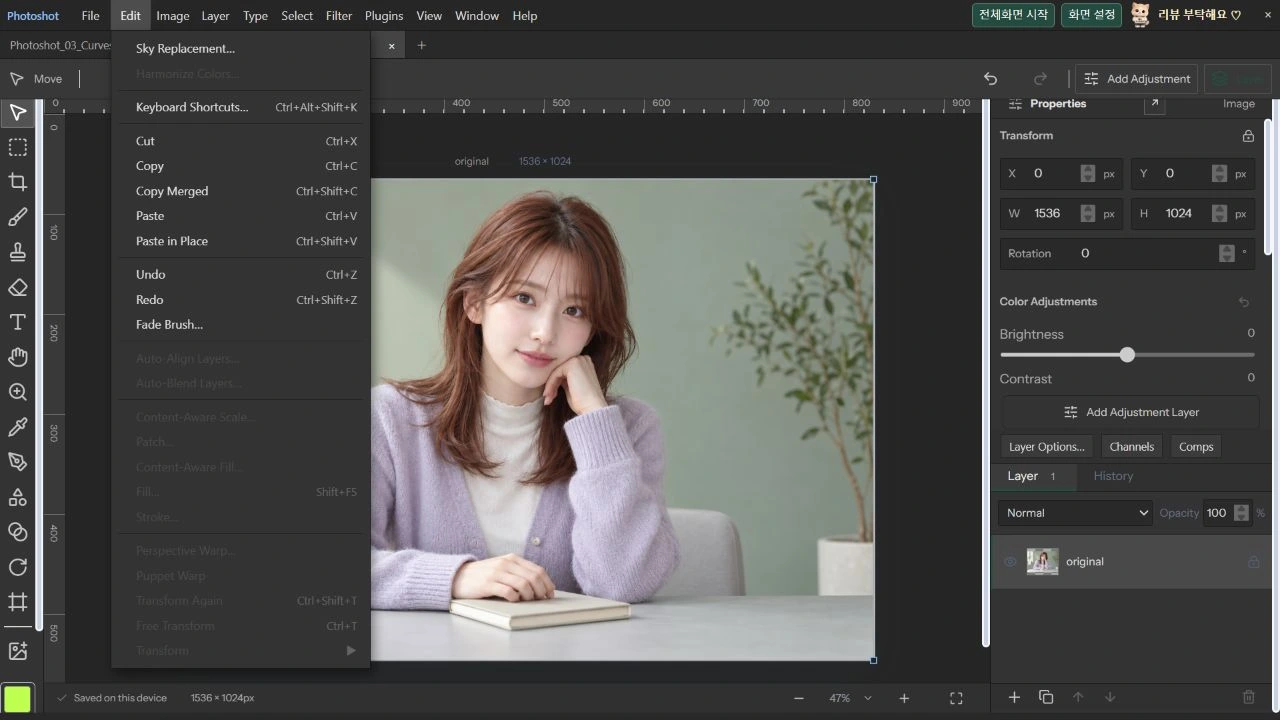
photoshop-ui.tsx first checks for an active, unlocked layer that is not an adjustment. Transform and filter eligibility add position- and pixel-lock conditions. Pixel-edit eligibility also depends on whether a mask is being edited.
On October 22, 2026, we locked a newly imported AI portrait layer in production. Edit → Free Transform became disabled and returned to enabled after unlocking. That observed example is distinguished from the other conditions read in code. We did not attempt to force execution while locked.
 const allowed=!!active&&!layerLocked(doc,active)&&active.kind!=='adjustment';
 const transformAllowed=allowed&&!layerLocked(doc,active!,'position');
 const filterAllowed=allowed&&!layerLocked(doc,active!,'pixels');
const pixelAllowed=!!active&&!layerLocked(doc,active,p.maskEditing?'all':'pixels')&&(p.maskEditing?!!active.mask?.enabled:active.kind!=='adjustment');Inside the
calculation.
Command search is another entrance
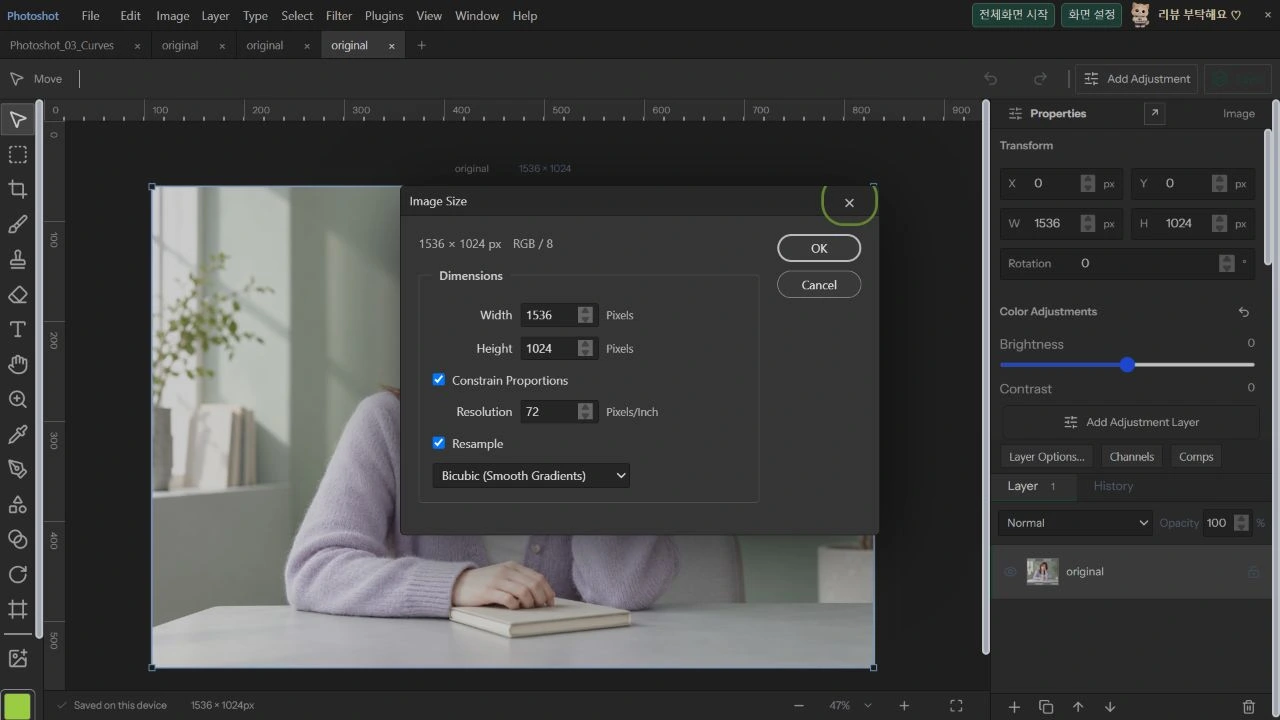
command-search.tsx searches menu paths, labels and Korean aliases. It splits the query into words, requires every word to match and returns at most 60 results. Its execution handler checks disabled again so search does not become a bypass for unavailable commands.
In Help → Search Commands, the Korean query “이미지 크기” found Image Size. Enter opened the actual dialog showing the original 1536×1024 dimensions. We cancelled without resizing because this demonstration checks command routing. The result screenshot shows the opened command, not a photographic adjustment.
Keep evidence levels distinct
The matrix records browser checks for shortcut editing, conflict reassignment and shortcut-set import/export, while excluding guarantees for reserved keys intercepted by the OS or browser. Panel docking checks likewise do not cover OS-level multi-monitor docking. Those limits describe the usable scope.
The stored workspace-ui and workspace-structure-ui reports have file timestamps of October 12, 2026; workspace-render is dated October 14. We read their passed flags and check lists. That is not a fresh run of those entire suites. Today’s direct checks cover Korean command search, dialog routing and the effect of a layer lock on menu availability.
Read the code.
export type SearchCommand={id:string;label:string;path:string;key?:string;disabled?:boolean}; const terms=query.toLocaleLowerCase().trim().split(/\s+/),matches=commands.filter(c=>terms.every(t=>(c.path+' '+c.label+' '+(aliases[c.id]??'')).toLocaleLowerCase().includes(t))).slice(0,60),current=Math.min(index,Math.max(0,matches.length-1)); const execute=(c?:SearchCommand)=>{if(!c||c.disabled)return;close();run(c.id);};In the editor.
Record results, persistence and failure conditions
The filter matrix keeps limits such as unverified Adobe pixel equivalence alongside passing checks. Future articles will similarly separate inputs, observed outputs and saved state. A menu entry alone does not prove support for every file or environment.
The demonstration portrait is a newly generated AI model. Its original and the actual menu screenshots are retained separately. Part 19 examines multiple documents, saving, automatic recovery and workspaces, beginning with the different roles of browser-local storage and downloaded project files.
Original and command.
AI-generated study photograph. Editor captures and outputs show Photoshot in use.