
無料Photoshop代替の開発記
表示範囲の外も残す
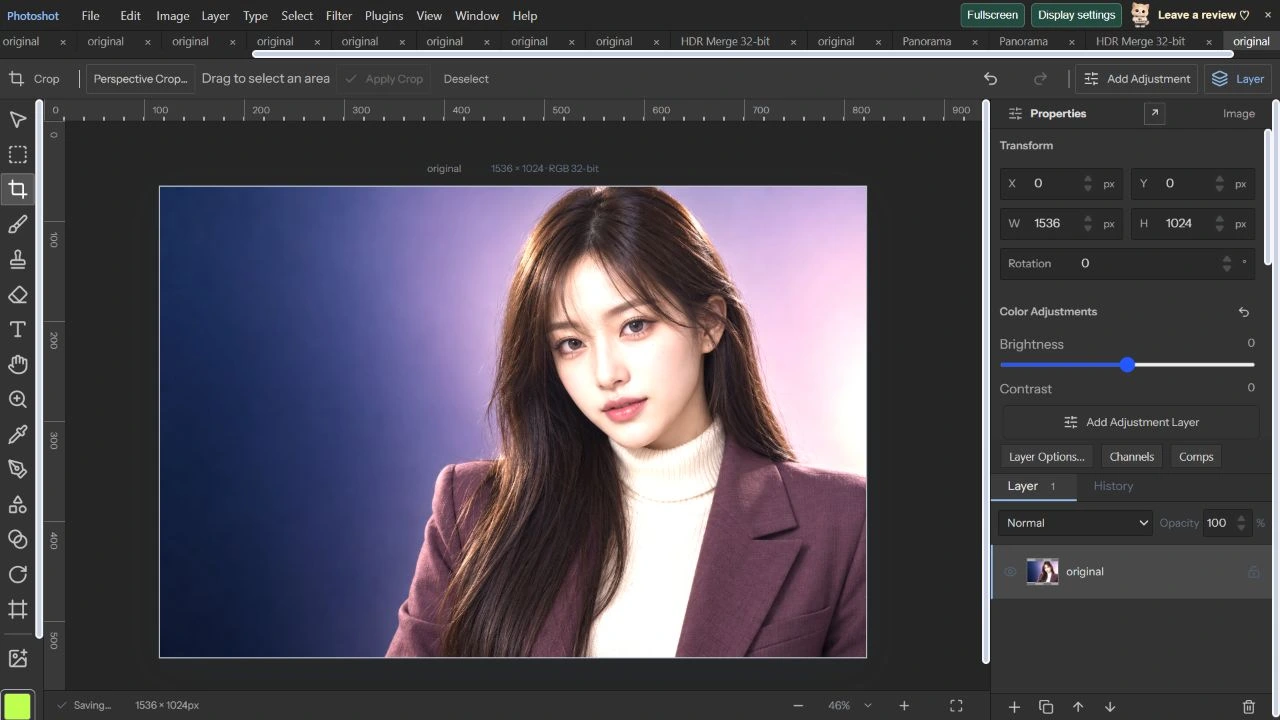
Photoshotで写真を32ビットRGBへ変換し、明るさを二倍にしました。白く見える表示の裏に値が残るか、PSDの保存・再読込後に露出を戻せるかを実データで確認しました。
AI生成の動作例用写真。編集画面と出力画像は実際のPhotoshotで作成しました。
ソースから始める。
高ビット深度の目的を明確にする
入力はAI生成の架空の成人モデルを写した1536×1024の8ビットPNGです。32ビットへ変えても原画像にない情報は増えません。その後の計算で生まれる細かい値と表示範囲を超える明るさを保持するのが目的です。
precision-raster.tsは作業画素をFloat32Arrayで持ち、画面表示への変換を分けています。RGBとGrayは32ビット、LabとCMYKは8・16ビットに対応します。チャンネル数、アルファ、有限値も検証し、名前だけを変える処理にはしていません。
32ビットで+1 EVを実際に適用する
2026年10月22日、ImageのColor Mode and PrecisionでRGB、32 bits/channelへ変換しました。基準プロジェクトを保存後、Precision ChannelsをExposure 1、Gamma 1、Offset 0、各Gain 1・Offset 0に設定し、PreviewとOKを実行しました。
保存データを展開するとRGB値は基準の正確に二倍で、アルファは同じでした。1を超えるRGBチャンネル値は350,081個、最大値は約1.964501でした。一部が画面では白く見えても、保存された浮動小数点値が1へ切り詰められたわけではありません。
export type PrecisionSpace='RGB'|'CMYK'|'Lab'|'Gray';export type PrecisionDepth=8|16|32;
export type PrecisionRaster={width:number;height:number;space:PrecisionSpace;depth:PrecisionDepth;data:Float32Array;profile?:Uint8Array};
export type PackedPrecision={version:1;width:number;height:number;space:PrecisionSpace;depth:PrecisionDepth;data:string;profile?:string};
export const precisionChannels=(space:PrecisionSpace)=>space==='CMYK'?4:space==='Gray'?1:3;
export function validatePrecision(r:PrecisionRaster){const n=precisionChannels(r.space);if(!['RGB','CMYK','Lab','Gray'].includes(r.space)||![8,16,32].includes(r.depth)||r.depth===32&&!['RGB','Gray'].includes(r.space)||!Number.isInteger(r.width)||!Number.isInteger(r.height)||r.width<1||r.height<1||r.width>16384||r.height>16384||r.width*r.height>16000000||r.data.length!==r.width*r.height*(n+1))throw Error('Invalid precision raster or unsupported size (16 MP maximum).');for(let i=0;i<r.data.length;i++)if(!Number.isFinite(r.data[i])||Math.abs(r.data[i])>65504||i%(n+1)===n&&(r.data[i]<0||r.data[i]>1))throw Error('Invalid high-precision pixel.');if(r.profile){if(r.profile.length<132||r.profile.length>16*1024*1024)throw Error('Invalid ICC profile size.');const v=new DataView(r.profile.buffer,r.profile.byteOffset,r.profile.byteLength),sig=(at:number)=>String.fromCharCode(...r.profile!.subarray(at,at+4));if(sig(36)!=='acsp'||v.getUint32(0)!==r.profile.length||sig(16)!==({RGB:'RGB ',CMYK:'CMYK',Lab:'Lab ',Gray:'GRAY'})[r.space])throw Error('ICC profile does not match the pixel color mode.');}}
const encode=(bytes:Uint8Array)=>{let s='';for(let i=0;i<bytes.length;i+=8192)s+=String.fromCharCode(...bytes.subarray(i,i+8192));return btoa(s);};const decode=(s:string)=>Uint8Array.from(atob(s),c=>c.charCodeAt(0));
const cache=new WeakMap<PackedPrecision,PrecisionRaster>();
export function packPrecision(r:PrecisionRaster):PackedPrecision{validatePrecision(r);const result:PackedPrecision={version:1,width:r.width,height:r.height,space:r.space,depth:r.depth,data:encode(deflate(new Uint8Array(r.data.buffer,r.data.byteOffset,r.data.byteLength))),...(r.profile?{profile:encode(r.profile)}:{})};cache.set(result,{...r,data:r.data.slice()});return result;}計算の
内側へ。
PSD再読込後に露出を戻す
Save As PSDで保存したファイルのヘッダーはRGB・32ビットでした。そのファイルをOpen PSD / PSBで開き、プロジェクトとして保存して全チャンネルを比較しました。出力前と再読込後の最大差は0でした。
再読込した文書へPrecision Exposure −1を適用すると、RGBとアルファの全値が32ビット基準値へ完全に戻りました。明るいプレビューだけで情報が失われたと判断せず、ファイルを通った数値を確認しました。実行した+1 EVと−1 EVの経路についての結果です。
Lab変換と16ビット量子化を測る
復元した文書をLabへ変更すると16ビットが選ばれました。PreviewとOKを実行し、プロジェクトとPSDを保存しました。PSDを再読込してもLab 16-bitと表示され、ファイルヘッダーもLabモードでした。
Labチャンネルは内部で正規化して保存されます。PSD保存前後の最大差は約0.00000763、平均差は約0.00000287でした。16ビット整数へ書き、Float32へ読み戻す量子化の範囲内です。これは知覚的な色差スコアとは区別します。
コードを読む。
const decodeRGB=(x:number)=>x<=.04045?x/12.92:((x+.055)/1.055)**2.4,encodeRGB=(x:number)=>x<=.0031308?12.92*x:1.055*Math.pow(x,1/2.4)-.055;
export type PrecisionAdjustment={exposure:number;gamma:number;offset:number;channels:{gain:number;offset:number}[]};
export function adjustPrecision(r:PrecisionRaster,a:PrecisionAdjustment,selection?:ArrayLike<number>){validatePrecision(r);const n=precisionChannels(r.space),stride=n+1;if(!Number.isFinite(a.exposure)||Math.abs(a.exposure)>20||!Number.isFinite(a.gamma)||a.gamma<.01||a.gamma>10||!Number.isFinite(a.offset)||Math.abs(a.offset)>1||a.channels.length!==n||a.channels.some(c=>!Number.isFinite(c.gain)||c.gain<0||c.gain>8||!Number.isFinite(c.offset)||Math.abs(c.offset)>1)||selection&&selection.length!==r.width*r.height)throw Error('Invalid precision adjustment.');const out={...r,data:r.data.slice()};for(let i=0;i<out.data.length;i+=stride){const amount=selection?Math.max(0,Math.min(1,selection[i/stride]/255)):1;if(!amount)continue;for(let c=0;c<n;c++){const original=r.data[i+c];let v=original;if(r.space==='RGB'&&r.depth!==32)v=decodeRGB(v);if(r.space!=='Lab'||c===0){const value=v*2**a.exposure+a.offset;v=Math.sign(value)*Math.pow(Math.abs(value),1/a.gamma);}if(r.space==='RGB'&&r.depth!==32)v=encodeRGB(v);v=v*a.channels[c].gain+a.channels[c].offset;if(r.depth!==32)v=Math.max(0,Math.min(1,v));out.data[i+c]=original+(v-original)*amount;}}validatePrecision(out);return out;}
export async function convertPrecision(r:PrecisionRaster,space:PrecisionSpace,depth:PrecisionDepth,profile?:Uint8Array,wasmBinary?:Uint8Array,options:{intent?:0|1|2|3;blackPoint?:boolean}={}):Promise<PrecisionRaster>{validatePrecision(r);if(options.intent!==undefined&&![0,1,2,3].includes(options.intent))throw Error('Invalid color rendering intent.');if(depth===32&&!['RGB','Gray'].includes(space))throw Error('32-bit editing supports RGB and Grayscale.');if(r.space===space&&(r.profile===profile||r.profile&&profile&&r.profile.length===profile.length&&r.profile.every((v,i)=>v===profile[i]))){const out={...r,depth,data:r.data.slice()};if(['RGB','Gray'].includes(r.space)&&!r.profile&&r.depth!==depth&&(r.depth===32||depth===32)){const n=precisionChannels(r.space)+1;for(let i=0;i<out.data.length;i++)if(i%n!==n-1)out.data[i]=depth===32?decodeRGB(out.data[i]):encodeRGB(out.data[i]);}if(depth!==32)for(let i=0;i<out.data.length;i++)out.data[i]=Math.max(0,Math.min(1,out.data[i]));return out;}
if(r.space==='CMYK'&&!r.profile){const data=new Float32Array(r.width*r.height*4);for(let i=0;i<r.width*r.height;i++){for(let c=0;c<3;c++)data[i*4+c]=(1-r.data[i*5+c])*(1-r.data[i*5+3]);data[i*4+3]=r.data[i*5+4];}return convertPrecision({...r,space:'RGB',data},space,depth,profile,wasmBinary,options);}export function decodePrecisionPlane(data:Uint8Array,compression:number,width:number,height:number,depth:PrecisionDepth,large=false,inflated=false){const bytes=depth/8,size=width*height;if(size>16000000||!Number.isInteger(size)||width<0||height<0)throw Error('Invalid precision channel dimensions.');let raw:Uint8Array;if(compression===0){if(data.length<size*bytes)throw Error('Truncated precision channel.');raw=data.slice(0,size*bytes);}else if(compression===1)raw=decodePlane(data,1,width*bytes,height,large);else if((compression===2||compression===3)&&inflated){if(data.length!==size*bytes)throw Error('Invalid inflated precision plane.');raw=data.slice();}else if(compression===2||compression===3){raw=new Uint8Array(size*bytes);let offset=0;const stream=new Inflate();stream.onData=(chunk:Uint8Array)=>{if(offset+chunk.length>raw.length)throw Error('Oversized compressed precision channel.');raw.set(chunk,offset);offset+=chunk.length;};stream.push(data,true);if(stream.err||offset!==raw.length)throw Error('Invalid compressed precision channel length.');}else throw Error('Unsupported precision compression.');const out=new Float32Array(size),v=new DataView(raw.buffer,raw.byteOffset,raw.byteLength);if(compression===3&&depth===32){for(let y=0;y<height;y++){const start=y*width*4;for(let i=1;i<width*4;i++)raw[start+i]=(raw[start+i]+raw[start+i-1])&255;const tmp=new Uint8Array(width*4);for(let x=0;x<width;x++)for(let b=0;b<4;b++)tmp[x*4+b]=raw[start+b*width+x];raw.set(tmp,start);}}for(let y=0;y<height;y++){let previous=0;for(let x=0;x<width;x++){const i=y*width+x;let value=depth===8?raw[i]:depth===16?v.getUint16(i*2):v.getFloat32(i*4);if(compression===3&&depth!==32){value=(value+previous)%(depth===8?256:65536);previous=value;}out[i]=depth===32?value:value/(depth===16?65535:255);}}return out;}
export function precisionLayerPixels(layer:any,space:PrecisionSpace,depth:PrecisionDepth,profile?:Uint8Array):PrecisionRaster|undefined{const width=(layer.right??0)-(layer.left??0),height=(layer.bottom??0)-(layer.top??0);if(!width||!height||!layer.rawData)return;const n=precisionChannels(space),data=new Float32Array(width*height*(n+1));for(let i=n;i<data.length;i+=n+1)data[i]=1;for(const channel of layer.rawData.channels){const id=channel.id;if(!channel.data||id< -1||id>=n)continue;const plane=decodePrecisionPlane(channel.data,channel.compression,width,height,depth,!!layer.rawData.large),index=id===-1?n:id;for(let i=0;i<plane.length;i++)data[i*(n+1)+index]=space==='CMYK'&&id>=0?1-plane[i]:plane[i];}const result:PrecisionRaster={width,height,space,depth,data,...(profile?{profile}:{})};validatePrecision(result);return result;}
export function readPrecisionPSD(bytes:Uint8Array){const view=new DataView(bytes.buffer,bytes.byteOffset,bytes.byteLength),mode=view.getUint16(24),space=({1:'Gray',3:'RGB',4:'CMYK',9:'Lab'} as const)[mode as 1|3|4|9],depth=view.getUint16(22) as PrecisionDepth;if(!space||![8,16,32].includes(depth)||depth===32&&!['RGB','Gray'].includes(space))throw Error('Unsupported native document color mode.');if(!ag.supportedColorModes.includes(mode))ag.supportedColorModes.push(mode);const psd=ag.readPsd(bytes,{useRawData:true,skipCompositeImageData:true,skipThumbnail:true,totalMemoryLimit:768*1024*1024}),profile=readResource(bytes,1039);return {psd,space,depth,profile};}
const join=(parts:Uint8Array[])=>{const out=new Uint8Array(parts.reduce((n,b)=>n+b.length,0));let at=0;for(const b of parts){out.set(b,at);at+=b.length;}return out;},word=(n:number,bytes=4)=>{const b=new Uint8Array(bytes),v=new DataView(b.buffer);if(bytes===8)v.setBigUint64(0,BigInt(n));else if(bytes===2)v.setUint16(0,n);else v.setUint32(0,n);return b;};
export function channelBytes(r:PrecisionRaster,id:number){const n=precisionChannels(r.space),stride=n+1,bpp=r.depth/8,bytes=new Uint8Array(r.width*r.height*bpp),view=new DataView(bytes.buffer);for(let i=0;i<r.width*r.height;i++){let v=r.data[i*stride+(id===-1?n:id)];if(r.space==='CMYK'&&id>=0)v=1-v;if(r.depth===32)view.setFloat32(i*4,v);else if(r.depth===16)view.setUint16(i*2,Math.round(Math.max(0,Math.min(1,v))*65535));else bytes[i]=Math.round(Math.max(0,Math.min(1,v))*255);}return bytes;}export async function convertDocumentPrecision(doc:StudioDoc,space:PrecisionSpace,depth:PrecisionDepth,profile?:Uint8Array,wasmBinary?:Uint8Array){if(doc.duotone){const c=await composite(doc,true);doc={...doc,duotone:undefined,precision:undefined,groups:undefined,artboards:undefined,layers:[makeLayer({kind:'image',name:'Converted Duotone',width:doc.width,height:doc.height,src:c.toDataURL()})]};}const working:PrecisionDocument={space,depth,profile:profileString(profile)},layers:Layer[]=[];for(const l of doc.layers){if(l.kind==='adjustment'){layers.push(l);continue;}const source=doc.precision&&!(space==='RGB'&&depth===8&&l.raw)?await precisionLayer(l,doc.precision,{masks:false,wasmBinary}):floatCanvas(await layerSurface({...l,mask:undefined,vectorMask:undefined})),pixels=await convertPrecision(source,space,depth,profile,wasmBinary),src=(await precisionCanvas(pixels,wasmBinary)).toDataURL();layers.push(bakedPrecisionLayer(l,pixels,src));}const next:StudioDoc={...doc,version:6 as const,precision:working,layers};if(space==='RGB'&&depth===8&&!profile){next.precision=undefined;next.layers=layers.map(l=>({...l,precision:undefined,precisionSource:undefined}));}else await compositePrecisionDocument(next,wasmBinary);return next;}
export async function adjustPrecisionLayer(doc:StudioDoc,l:Layer,a:PrecisionAdjustment,wasmBinary?:Uint8Array){if(!doc.precision)throw Error('Choose Image > Color Mode and Precision first.');const r=await precisionLayer(l,doc.precision,{masks:false,wasmBinary}),selection=doc.selection?selectionForLayer(doc.selection,l):undefined,edited=adjustPrecision(r,a,selection?.alpha),src=(await precisionCanvas(edited,wasmBinary)).toDataURL();return{...doc,layers:doc.layers.map(x=>x.id===l.id?bakedPrecisionLayer(x,edited,src):x)};}エディターで見る。
プロファイルとマスクも切り分ける
色変換にはprecision-raster.tsのLittleCMS経路を使います。基本Lab変換と32ビットPSD往復は直接実行しました。ユーザーのCMYK作業空間へ変換する場合は適切なCMYK ICCが必要で、Color Lookup用のAbstract・Device Linkとは用途が異なります。
色画素が高ビットでも、補助データが全て同じ精度とは限りません。現在のマスクには表示ラスターのアルファを通す経路があり、32ビットの色値保持とは区別します。今回は原本一レイヤーで値を検証しました。次の31回では印刷・色分解・ダブルトーンの実出力へ進みます。
原画像と露出復元の結果。
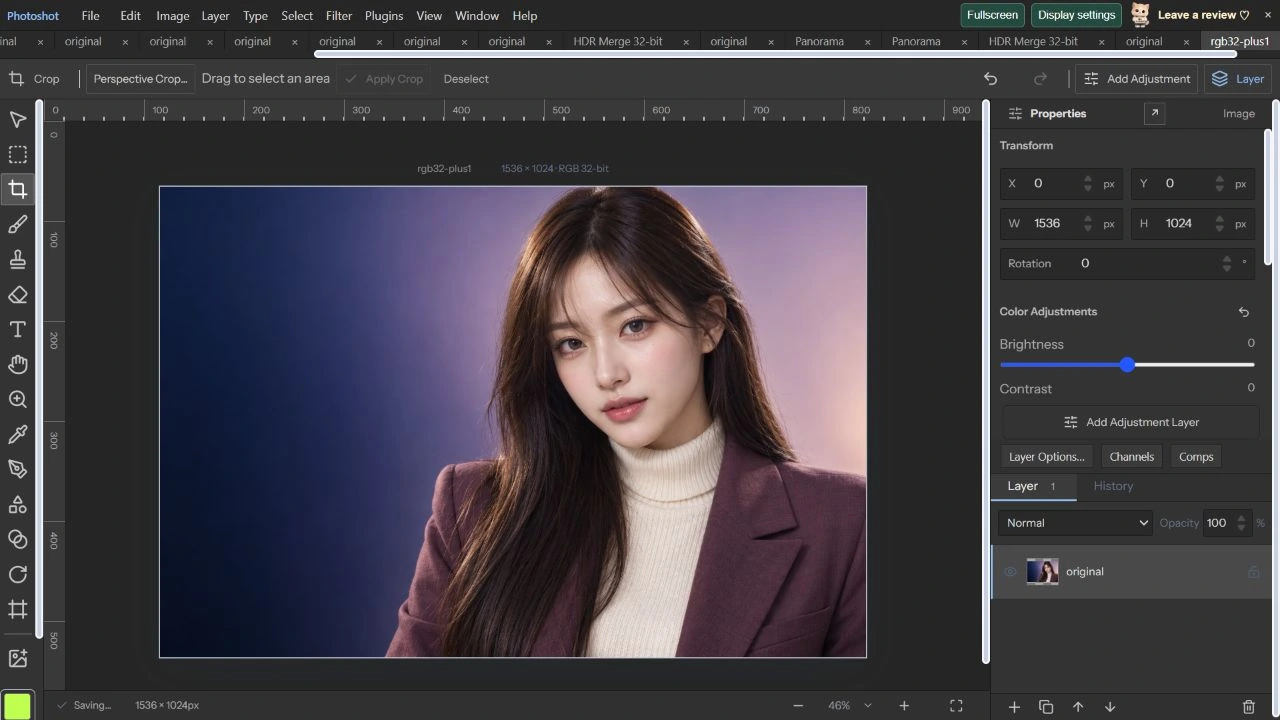
AI生成の動作例用写真。編集画面と出力画像は実際のPhotoshotで作成しました。