
무료 포토샵 개발기
화면 밖의 값을 지키다
포토샷에서 사진을 32비트로 바꾸고 밝기를 두 배로 올렸습니다. 하얗게 보이는 화면 뒤에도 값이 남는지, PSD 저장과 재열기를 거친 뒤 원래 밝기로 돌아오는지 실제 데이터로 확인했습니다.
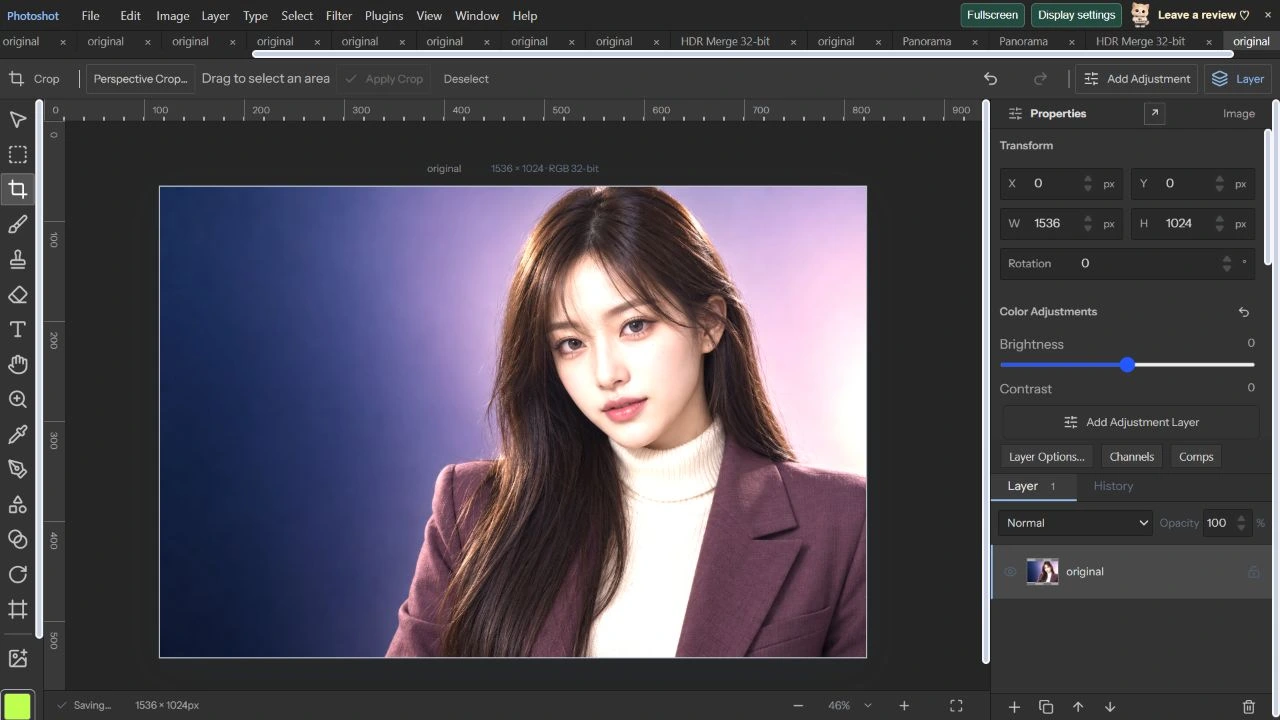
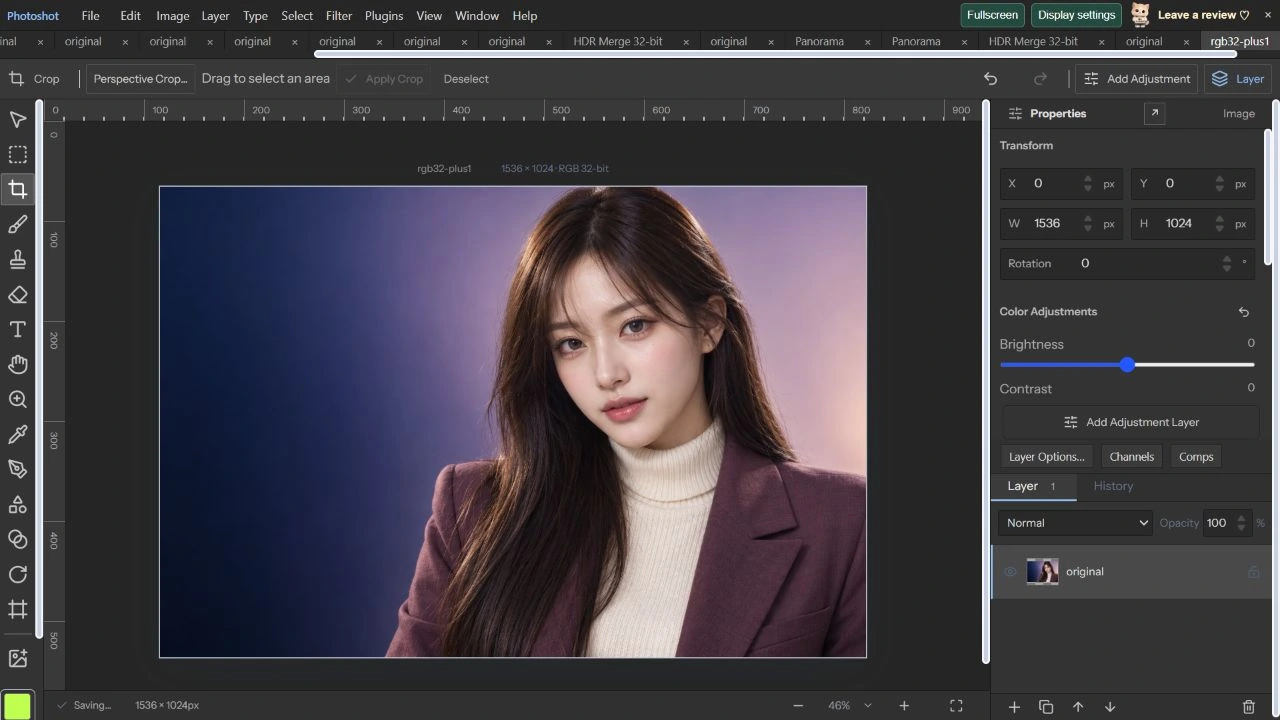
AI 생성 시연용 사진. 편집 화면과 출력 이미지는 실제 포토샷에서 만들었습니다.
출처에서 시작하다.
비트 심도를 올리는 이유를 분명히 한다
이번 시연 원본은 AI 생성 성인 가상 모델의 1536×1024 PNG입니다. 입력은 8비트이므로 32비트로 바꾼다고 촬영되지 않은 디테일이 생기지는 않습니다. 변환의 목적은 이후 계산에서 생기는 더 세밀한 값과 표시 범위를 넘는 밝기를 유지하는 데 있습니다.
precision-raster.ts는 내부 픽셀을 Float32Array로 보관하고, 화면에 보여 줄 때만 표시용 값으로 바꿉니다. RGB와 Gray는 32비트를 지원하며 Lab과 CMYK는 8·16비트를 사용합니다. 채널 수와 알파, 유한한 값인지도 검사하므로 문서의 비트 심도 이름만 바꾸는 처리가 아닙니다.
32비트에서 +1 EV를 실제 적용한다
2026년 10월 22일 Image의 Color Mode and Precision에서 RGB, 32 bits/channel을 선택해 변환했습니다. 기준 프로젝트를 저장하고 Precision Channels에서 Exposure 1, Gamma 1, Offset 0, 각 채널 Gain 1과 Offset 0으로 미리보기와 OK를 실행했습니다.
저장 데이터를 풀어 비교하니 RGB 값은 기준의 정확히 두 배였고 알파는 같았습니다. 1을 넘는 RGB 채널 값은 350,081개, 최댓값은 약 1.964501이었습니다. 화면에서는 일부가 하얗게 잘려 보이지만 저장된 부동소수점 값이 1로 잘린 것은 아니었습니다.
export type PrecisionSpace='RGB'|'CMYK'|'Lab'|'Gray';export type PrecisionDepth=8|16|32;
export type PrecisionRaster={width:number;height:number;space:PrecisionSpace;depth:PrecisionDepth;data:Float32Array;profile?:Uint8Array};
export type PackedPrecision={version:1;width:number;height:number;space:PrecisionSpace;depth:PrecisionDepth;data:string;profile?:string};
export const precisionChannels=(space:PrecisionSpace)=>space==='CMYK'?4:space==='Gray'?1:3;
export function validatePrecision(r:PrecisionRaster){const n=precisionChannels(r.space);if(!['RGB','CMYK','Lab','Gray'].includes(r.space)||![8,16,32].includes(r.depth)||r.depth===32&&!['RGB','Gray'].includes(r.space)||!Number.isInteger(r.width)||!Number.isInteger(r.height)||r.width<1||r.height<1||r.width>16384||r.height>16384||r.width*r.height>16000000||r.data.length!==r.width*r.height*(n+1))throw Error('Invalid precision raster or unsupported size (16 MP maximum).');for(let i=0;i<r.data.length;i++)if(!Number.isFinite(r.data[i])||Math.abs(r.data[i])>65504||i%(n+1)===n&&(r.data[i]<0||r.data[i]>1))throw Error('Invalid high-precision pixel.');if(r.profile){if(r.profile.length<132||r.profile.length>16*1024*1024)throw Error('Invalid ICC profile size.');const v=new DataView(r.profile.buffer,r.profile.byteOffset,r.profile.byteLength),sig=(at:number)=>String.fromCharCode(...r.profile!.subarray(at,at+4));if(sig(36)!=='acsp'||v.getUint32(0)!==r.profile.length||sig(16)!==({RGB:'RGB ',CMYK:'CMYK',Lab:'Lab ',Gray:'GRAY'})[r.space])throw Error('ICC profile does not match the pixel color mode.');}}
const encode=(bytes:Uint8Array)=>{let s='';for(let i=0;i<bytes.length;i+=8192)s+=String.fromCharCode(...bytes.subarray(i,i+8192));return btoa(s);};const decode=(s:string)=>Uint8Array.from(atob(s),c=>c.charCodeAt(0));
const cache=new WeakMap<PackedPrecision,PrecisionRaster>();
export function packPrecision(r:PrecisionRaster):PackedPrecision{validatePrecision(r);const result:PackedPrecision={version:1,width:r.width,height:r.height,space:r.space,depth:r.depth,data:encode(deflate(new Uint8Array(r.data.buffer,r.data.byteOffset,r.data.byteLength))),...(r.profile?{profile:encode(r.profile)}:{})};cache.set(result,{...r,data:r.data.slice()});return result;}계산의
안쪽으로.
PSD를 다시 연 뒤 노출을 되돌린다
Save As PSD로 저장한 파일의 헤더는 실제 RGB 모드와 32비트였습니다. Open PSD / PSB로 그 파일을 다시 열고 프로젝트로 저장한 뒤 모든 채널을 비교했습니다. 저장 전과 재열기 후의 최대 차이는 0이었습니다.
재열기한 문서에 Precision Exposure −1을 적용하니 RGB와 알파 전체가 처음의 32비트 기준값과 정확히 같아졌습니다. 밝게 보이는 화면만 보고 정보를 잃었다고 결론 내리지 않고, 파일을 통과한 수치가 돌아오는지 확인했습니다. 이 검사는 실제 +1 EV와 −1 EV 경로에 대한 결과입니다.
Lab 16비트는 색 변환과 양자화를 함께 본다
복원한 문서를 Lab으로 바꾸자 비트 심도는 16비트로 전환됐습니다. Preview와 OK를 실행하고 Lab 프로젝트와 PSD를 각각 저장했습니다. PSD를 다시 열었을 때도 Lab 16-bit로 표시됐고 파일 헤더의 모드도 Lab이었습니다.
Lab 채널은 내부에서 정규화된 값으로 저장됩니다. PSD 저장 전후의 최대 차이는 약 0.00000763, 평균 차이는 약 0.00000287이었습니다. 16비트 정수로 쓰고 다시 Float32로 읽는 양자화 범위 안의 차이이며, 이것을 시각적 색차 점수라고 부르지는 않습니다.
코드를 읽다.
const decodeRGB=(x:number)=>x<=.04045?x/12.92:((x+.055)/1.055)**2.4,encodeRGB=(x:number)=>x<=.0031308?12.92*x:1.055*Math.pow(x,1/2.4)-.055;
export type PrecisionAdjustment={exposure:number;gamma:number;offset:number;channels:{gain:number;offset:number}[]};
export function adjustPrecision(r:PrecisionRaster,a:PrecisionAdjustment,selection?:ArrayLike<number>){validatePrecision(r);const n=precisionChannels(r.space),stride=n+1;if(!Number.isFinite(a.exposure)||Math.abs(a.exposure)>20||!Number.isFinite(a.gamma)||a.gamma<.01||a.gamma>10||!Number.isFinite(a.offset)||Math.abs(a.offset)>1||a.channels.length!==n||a.channels.some(c=>!Number.isFinite(c.gain)||c.gain<0||c.gain>8||!Number.isFinite(c.offset)||Math.abs(c.offset)>1)||selection&&selection.length!==r.width*r.height)throw Error('Invalid precision adjustment.');const out={...r,data:r.data.slice()};for(let i=0;i<out.data.length;i+=stride){const amount=selection?Math.max(0,Math.min(1,selection[i/stride]/255)):1;if(!amount)continue;for(let c=0;c<n;c++){const original=r.data[i+c];let v=original;if(r.space==='RGB'&&r.depth!==32)v=decodeRGB(v);if(r.space!=='Lab'||c===0){const value=v*2**a.exposure+a.offset;v=Math.sign(value)*Math.pow(Math.abs(value),1/a.gamma);}if(r.space==='RGB'&&r.depth!==32)v=encodeRGB(v);v=v*a.channels[c].gain+a.channels[c].offset;if(r.depth!==32)v=Math.max(0,Math.min(1,v));out.data[i+c]=original+(v-original)*amount;}}validatePrecision(out);return out;}
export async function convertPrecision(r:PrecisionRaster,space:PrecisionSpace,depth:PrecisionDepth,profile?:Uint8Array,wasmBinary?:Uint8Array,options:{intent?:0|1|2|3;blackPoint?:boolean}={}):Promise<PrecisionRaster>{validatePrecision(r);if(options.intent!==undefined&&![0,1,2,3].includes(options.intent))throw Error('Invalid color rendering intent.');if(depth===32&&!['RGB','Gray'].includes(space))throw Error('32-bit editing supports RGB and Grayscale.');if(r.space===space&&(r.profile===profile||r.profile&&profile&&r.profile.length===profile.length&&r.profile.every((v,i)=>v===profile[i]))){const out={...r,depth,data:r.data.slice()};if(['RGB','Gray'].includes(r.space)&&!r.profile&&r.depth!==depth&&(r.depth===32||depth===32)){const n=precisionChannels(r.space)+1;for(let i=0;i<out.data.length;i++)if(i%n!==n-1)out.data[i]=depth===32?decodeRGB(out.data[i]):encodeRGB(out.data[i]);}if(depth!==32)for(let i=0;i<out.data.length;i++)out.data[i]=Math.max(0,Math.min(1,out.data[i]));return out;}
if(r.space==='CMYK'&&!r.profile){const data=new Float32Array(r.width*r.height*4);for(let i=0;i<r.width*r.height;i++){for(let c=0;c<3;c++)data[i*4+c]=(1-r.data[i*5+c])*(1-r.data[i*5+3]);data[i*4+3]=r.data[i*5+4];}return convertPrecision({...r,space:'RGB',data},space,depth,profile,wasmBinary,options);}export function decodePrecisionPlane(data:Uint8Array,compression:number,width:number,height:number,depth:PrecisionDepth,large=false,inflated=false){const bytes=depth/8,size=width*height;if(size>16000000||!Number.isInteger(size)||width<0||height<0)throw Error('Invalid precision channel dimensions.');let raw:Uint8Array;if(compression===0){if(data.length<size*bytes)throw Error('Truncated precision channel.');raw=data.slice(0,size*bytes);}else if(compression===1)raw=decodePlane(data,1,width*bytes,height,large);else if((compression===2||compression===3)&&inflated){if(data.length!==size*bytes)throw Error('Invalid inflated precision plane.');raw=data.slice();}else if(compression===2||compression===3){raw=new Uint8Array(size*bytes);let offset=0;const stream=new Inflate();stream.onData=(chunk:Uint8Array)=>{if(offset+chunk.length>raw.length)throw Error('Oversized compressed precision channel.');raw.set(chunk,offset);offset+=chunk.length;};stream.push(data,true);if(stream.err||offset!==raw.length)throw Error('Invalid compressed precision channel length.');}else throw Error('Unsupported precision compression.');const out=new Float32Array(size),v=new DataView(raw.buffer,raw.byteOffset,raw.byteLength);if(compression===3&&depth===32){for(let y=0;y<height;y++){const start=y*width*4;for(let i=1;i<width*4;i++)raw[start+i]=(raw[start+i]+raw[start+i-1])&255;const tmp=new Uint8Array(width*4);for(let x=0;x<width;x++)for(let b=0;b<4;b++)tmp[x*4+b]=raw[start+b*width+x];raw.set(tmp,start);}}for(let y=0;y<height;y++){let previous=0;for(let x=0;x<width;x++){const i=y*width+x;let value=depth===8?raw[i]:depth===16?v.getUint16(i*2):v.getFloat32(i*4);if(compression===3&&depth!==32){value=(value+previous)%(depth===8?256:65536);previous=value;}out[i]=depth===32?value:value/(depth===16?65535:255);}}return out;}
export function precisionLayerPixels(layer:any,space:PrecisionSpace,depth:PrecisionDepth,profile?:Uint8Array):PrecisionRaster|undefined{const width=(layer.right??0)-(layer.left??0),height=(layer.bottom??0)-(layer.top??0);if(!width||!height||!layer.rawData)return;const n=precisionChannels(space),data=new Float32Array(width*height*(n+1));for(let i=n;i<data.length;i+=n+1)data[i]=1;for(const channel of layer.rawData.channels){const id=channel.id;if(!channel.data||id< -1||id>=n)continue;const plane=decodePrecisionPlane(channel.data,channel.compression,width,height,depth,!!layer.rawData.large),index=id===-1?n:id;for(let i=0;i<plane.length;i++)data[i*(n+1)+index]=space==='CMYK'&&id>=0?1-plane[i]:plane[i];}const result:PrecisionRaster={width,height,space,depth,data,...(profile?{profile}:{})};validatePrecision(result);return result;}
export function readPrecisionPSD(bytes:Uint8Array){const view=new DataView(bytes.buffer,bytes.byteOffset,bytes.byteLength),mode=view.getUint16(24),space=({1:'Gray',3:'RGB',4:'CMYK',9:'Lab'} as const)[mode as 1|3|4|9],depth=view.getUint16(22) as PrecisionDepth;if(!space||![8,16,32].includes(depth)||depth===32&&!['RGB','Gray'].includes(space))throw Error('Unsupported native document color mode.');if(!ag.supportedColorModes.includes(mode))ag.supportedColorModes.push(mode);const psd=ag.readPsd(bytes,{useRawData:true,skipCompositeImageData:true,skipThumbnail:true,totalMemoryLimit:768*1024*1024}),profile=readResource(bytes,1039);return {psd,space,depth,profile};}
const join=(parts:Uint8Array[])=>{const out=new Uint8Array(parts.reduce((n,b)=>n+b.length,0));let at=0;for(const b of parts){out.set(b,at);at+=b.length;}return out;},word=(n:number,bytes=4)=>{const b=new Uint8Array(bytes),v=new DataView(b.buffer);if(bytes===8)v.setBigUint64(0,BigInt(n));else if(bytes===2)v.setUint16(0,n);else v.setUint32(0,n);return b;};
export function channelBytes(r:PrecisionRaster,id:number){const n=precisionChannels(r.space),stride=n+1,bpp=r.depth/8,bytes=new Uint8Array(r.width*r.height*bpp),view=new DataView(bytes.buffer);for(let i=0;i<r.width*r.height;i++){let v=r.data[i*stride+(id===-1?n:id)];if(r.space==='CMYK'&&id>=0)v=1-v;if(r.depth===32)view.setFloat32(i*4,v);else if(r.depth===16)view.setUint16(i*2,Math.round(Math.max(0,Math.min(1,v))*65535));else bytes[i]=Math.round(Math.max(0,Math.min(1,v))*255);}return bytes;}export async function convertDocumentPrecision(doc:StudioDoc,space:PrecisionSpace,depth:PrecisionDepth,profile?:Uint8Array,wasmBinary?:Uint8Array){if(doc.duotone){const c=await composite(doc,true);doc={...doc,duotone:undefined,precision:undefined,groups:undefined,artboards:undefined,layers:[makeLayer({kind:'image',name:'Converted Duotone',width:doc.width,height:doc.height,src:c.toDataURL()})]};}const working:PrecisionDocument={space,depth,profile:profileString(profile)},layers:Layer[]=[];for(const l of doc.layers){if(l.kind==='adjustment'){layers.push(l);continue;}const source=doc.precision&&!(space==='RGB'&&depth===8&&l.raw)?await precisionLayer(l,doc.precision,{masks:false,wasmBinary}):floatCanvas(await layerSurface({...l,mask:undefined,vectorMask:undefined})),pixels=await convertPrecision(source,space,depth,profile,wasmBinary),src=(await precisionCanvas(pixels,wasmBinary)).toDataURL();layers.push(bakedPrecisionLayer(l,pixels,src));}const next:StudioDoc={...doc,version:6 as const,precision:working,layers};if(space==='RGB'&&depth===8&&!profile){next.precision=undefined;next.layers=layers.map(l=>({...l,precision:undefined,precisionSource:undefined}));}else await compositePrecisionDocument(next,wasmBinary);return next;}
export async function adjustPrecisionLayer(doc:StudioDoc,l:Layer,a:PrecisionAdjustment,wasmBinary?:Uint8Array){if(!doc.precision)throw Error('Choose Image > Color Mode and Precision first.');const r=await precisionLayer(l,doc.precision,{masks:false,wasmBinary}),selection=doc.selection?selectionForLayer(doc.selection,l):undefined,edited=adjustPrecision(r,a,selection?.alpha),src=(await precisionCanvas(edited,wasmBinary)).toDataURL();return{...doc,layers:doc.layers.map(x=>x.id===l.id?bakedPrecisionLayer(x,edited,src):x)};}편집 화면에서.
프로필과 마스크도 정밀도의 일부다
색 공간 변환은 precision-raster.ts의 LittleCMS 경로를 사용합니다. 기본 Lab 변환과 이번 32비트 PSD 왕복은 직접 실행했습니다. 사용자 CMYK 작업 공간으로 변환할 때는 해당 CMYK ICC 프로필이 필요하며, Color Lookup용 Abstract·Device Link 프로필과 같은 용도로 취급하지 않습니다.
색상 픽셀이 고비트여도 모든 보조 데이터가 같은 정밀도인 것은 아닙니다. 현재 마스크는 표시용 래스터의 알파를 통해 적용되는 경로가 있으므로 색상 채널의 32비트 보존과 구분해야 합니다. 이번에는 원본 한 레이어로 값을 검증했습니다. 다음 31편은 인쇄·분판·듀오톤을 실제 출력 단계에서 이어갑니다.
원본과 노출 복원 결과.
AI 생성 시연용 사진. 편집 화면과 출력 이미지는 실제 포토샷에서 만들었습니다.