Building a free Photoshop alternative
A short formula, more integration
Invert can be written as 1−x. Turning that known formula into editable behavior still requires original preservation, masks, opacity, compositing and saved settings.
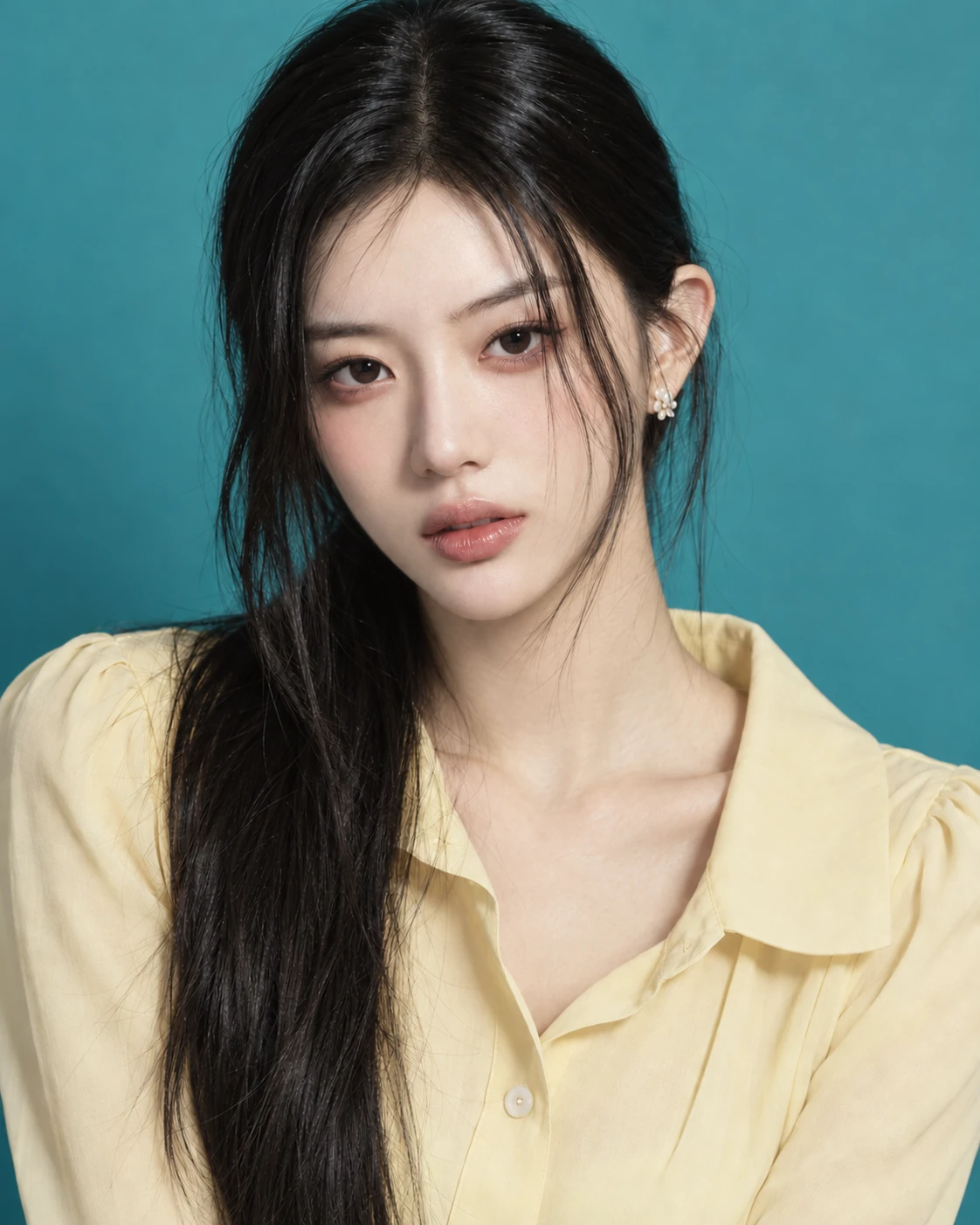
AI-generated study photograph. Editor captures and outputs show Photoshot in use.
From the source.
Work beyond the short formula
Invert replaces a normalized component x with 1−x. AI did not invent that mathematics; it helped connect it to the existing tables and document structure.
Photoshot reuses the 256-entry input-table path already used by brightness, levels and curves. Reuse keeps this adjustment inside the same saving and compositing rules.
Keep RGB separate from alpha
In eight-bit RGB, 0 becomes 255, 255 becomes 0 and 64 becomes 191. Each color component follows the same mapping. Inverting image colors is distinct from inverting a mask or replacing alpha with 1−alpha.
The shared pixel path skips fully transparent pixels and retains the original alpha. Color inversion therefore does not turn a transparent background opaque.
L550–554Photoshot implementation ↗
    return (r, g, b, out) => {
      out[0] = tables[0][r];
      out[1] = tables[1][g];
      out[2] = tables[2][b];
};Inside the
calculation.
Apply the same operation twice
Applying the ideal mapping twice gives 1−(1−x)=x. In a document, opacity, masks and any processing between the two operations must also meet the same conditions.
Layer order is part of the tool’s behavior. Adjusting brightness before inversion need not match adjusting it afterward. A formula alone does not describe these document-level differences.
Share masks and compositing
The transformed color enters the shared compositor alongside opacity, mask and blend mode. The source image remains available and the operation remains editable.
Today the existing sixteen-adjustment checks passed for identity conditions, alpha, project roundtrip and compositor parity, including Invert. These checks are distinguished from the stored photographic example; no new masked-portrait capture is claimed.
Read the code.
L539–547Photoshot implementation ↗
              ? clamp(x ** 2.2 * 2 ** v.ev + v.offset) ** (1 / (2.2 * v.gamma))
              : srgb(clamp(linear(x) * 2 ** v.ev + v.offset) ** (1 / v.gamma));
        if (t === 'invert') x = 1 - x;
        if (t === 'posterize')
          x =
            a.revision === 2
              ? Math.min(v.steps - 1, Math.floor((i * v.steps) / 256)) / (v.steps - 1)
              : Math.round(x * (v.steps - 1)) / (v.steps - 1);
return clamp(x);L836–853Photoshot implementation ↗
    beforeRGB: RGB = [0, 0, 0],
    mixed: RGB = [0, 0, 0];
  for (let i = start; i < end; i += 4) {
    if (!data[i + 3]) continue;
    let amount = opacity * (mask ? mask[i + 3] / 255 : 1);
    if (blend === 'dissolve') amount = pixelNoise(i / 4) < amount ? 1 : 0;
    if (!amount) continue;
    compiled(data[i], data[i + 1], data[i + 2], out);
    for (let c = 0; c < 3; c++) beforeRGB[c] = data[i + c] / 255;
    if (a.values.dither && (a.type === 'lookup' || a.type === 'gradient'))
      for (let c = 0; c < 3; c++) out[c] = clamp(out[c] + (pixelNoise(i / 4) - 0.5) / 255);
    blendRGB(beforeRGB, out, blend, mixed);
    for (let c = 0; c < 3; c++)
      data[i + c] = Math.round(clamp(beforeRGB[c] + (mixed[c] - beforeRGB[c]) * amount) * 255);
  }
}L253–265Photoshot implementation ↗
export function isIdentityAdjustment(a: Adjustment): boolean {
  if (a.type === 'lookup') return !a.cube;
  if (a.type === 'curves') return channels.every((c) => a.curves![c].every((p) => p.x === p.y));
  if (a.type === 'photo') return a.values.density === 0;
  if (['blackwhite', 'gradient', 'invert', 'posterize', 'threshold'].includes(a.type)) return false;
  if (a.bands?.some((b) => b.hue || b.saturation || b.lightness)) return false;
  return definitions[a.type].controls.every(
    (c) =>
      ['preserve', 'relative', 'skin', 'legacy', 'colorizeHue', 'colorizeSaturation'].includes(
        c.key,
      ) || (a.values[c.key] ?? c.initial) === c.initial,
  );
}In the editor.
The actual output and the next tool
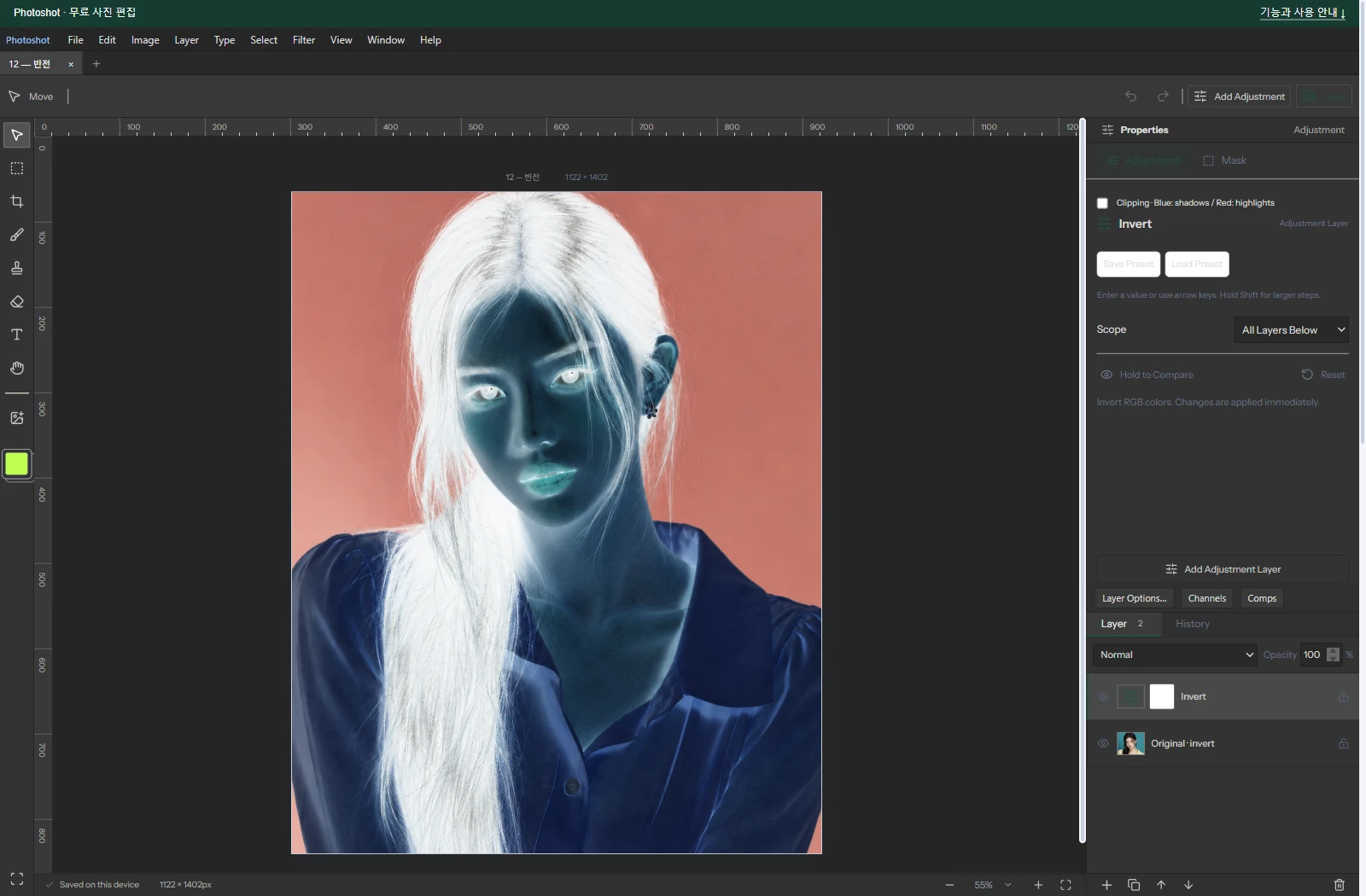
The saved example contains an Invert adjustment with no numeric controls and opacity 100%. The portrait is AI-generated; the application capture and exported result come from actual Photoshot editing.
The contribution is integration with the same editing model, rather than a new color formula. Next we group continuous values into a limited set of levels with Posterize.
The visible result.
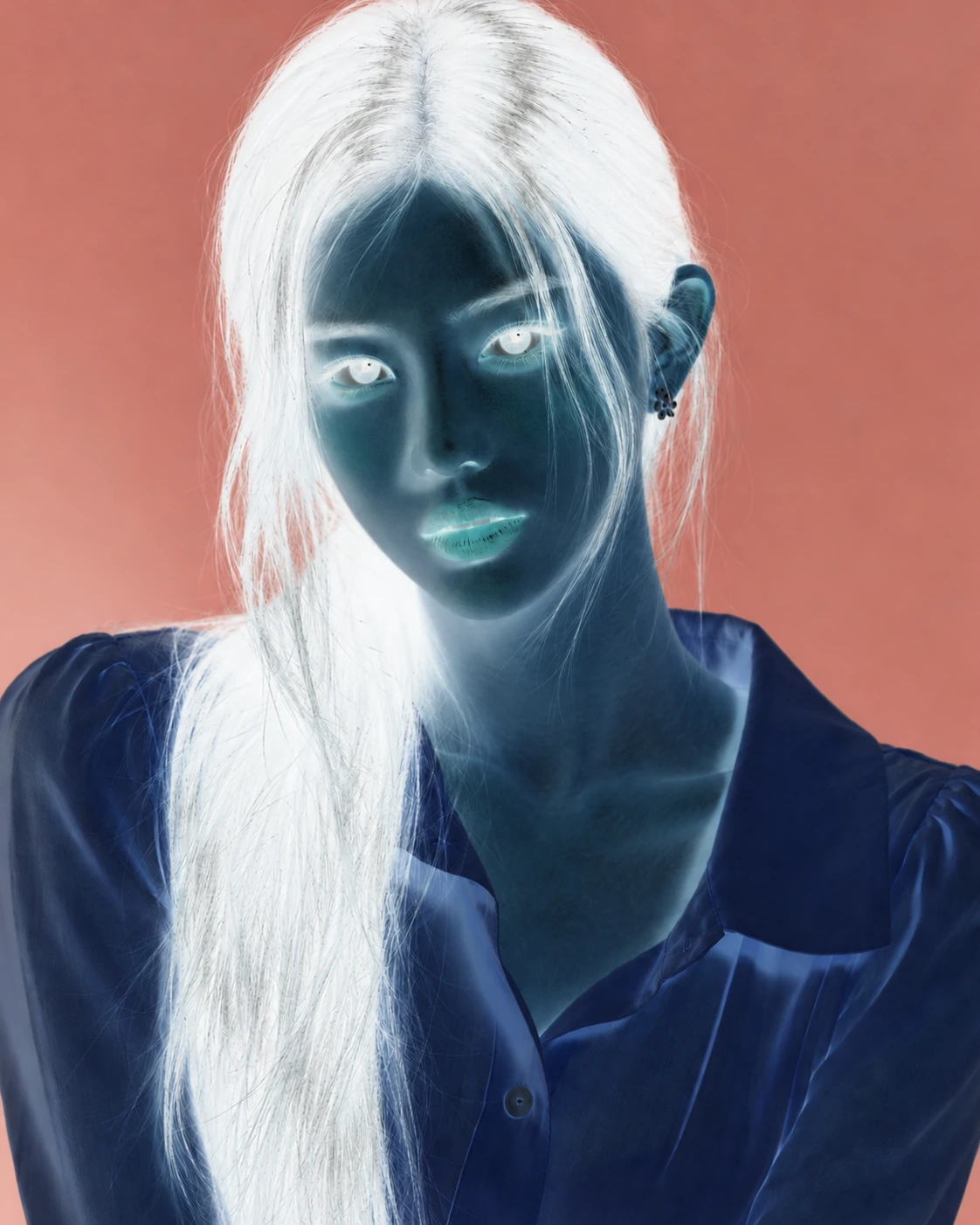
AI-generated study photograph. Editor captures and outputs show Photoshot in use.