
Building a free Photoshop alternative
Group color into levels
Quantization was already established. With AI, we connected it to existing tables and revision handling so an improved boundary calculation would not silently change old projects.
AI-generated study photograph. Editor captures and outputs show Photoshot in use.
From the source.
Integrate established quantization
Posterize maps continuous channel values to a limited number of output levels. Photoshot reuses the channel-table path shared with Invert and brightness instead of introducing another renderer.
Our work connected the level control, lookup table and saved adjustment revision. The supported range is 2–256, with a default of 6. Adobe documentation serves as a reference for what per-channel levels mean.
Rounding versus input buckets
Revision 1 rounded normalized values against steps−1. Revision 2 takes an eight-bit input i, computes floor(i×steps/256), limits the bucket index and divides by steps−1.
The boundaries differ. With four levels in the newer path, inputs 0–63 become 0; 64–127 become 85; 128–191 become 170; and 192–255 become 255. Stating the boundaries explains why the same control value can produce a different result.
L190–200Photoshot implementation ↗
  invert: { name: '반전', description: 'RGB 색상을 반전합니다.', controls: [] },
  posterize: {
    name: '포스터화',
    description: '각 채널의 명암 단계 수를 줄입니다.',
    controls: [control('steps', '단계', 2, 256, 6)],
  },
  threshold: {
    name: '한계값',
    description: '기준 밝기에 따라 검정과 흰색으로 나눕니다.',
    controls: [control('threshold', '한계값', 0, 255, 128)],
},Inside the
calculation.
Four levels do not mean four colors
The mapping acts independently on R, G and B. Four levels allow up to 4³=64 RGB combinations, though a particular photograph may use fewer.
Even two levels can retain red, green and blue. Threshold instead combines channels into one brightness value and produces black or white. Blending with the original through opacity can also introduce intermediate values.
Keep the old calculation for old documents
Replacing the formula for every document would change previously saved work. Photoshot reads the adjustment revision and retains the earlier mapping for older projects.
Today the existing upgrade checks passed again, including exact pixel preservation for old sixteen-adjustment projects and serialization. Improving a calculation and preserving existing work are linked responsibilities.
Read the code.
L541–547Photoshot implementation ↗
        if (t === 'invert') x = 1 - x;
        if (t === 'posterize')
          x =
            a.revision === 2
              ? Math.min(v.steps - 1, Math.floor((i * v.steps) / 256)) / (v.steps - 1)
              : Math.round(x * (v.steps - 1)) / (v.steps - 1);
return clamp(x);L550–554Photoshot implementation ↗
    return (r, g, b, out) => {
      out[0] = tables[0][r];
      out[1] = tables[1][g];
      out[2] = tables[2][b];
};L253–265Photoshot implementation ↗
export function isIdentityAdjustment(a: Adjustment): boolean {
  if (a.type === 'lookup') return !a.cube;
  if (a.type === 'curves') return channels.every((c) => a.curves![c].every((p) => p.x === p.y));
  if (a.type === 'photo') return a.values.density === 0;
  if (['blackwhite', 'gradient', 'invert', 'posterize', 'threshold'].includes(a.type)) return false;
  if (a.bands?.some((b) => b.hue || b.saturation || b.lightness)) return false;
  return definitions[a.type].controls.every(
    (c) =>
      ['preserve', 'relative', 'skin', 'legacy', 'colorizeHue', 'colorizeSaturation'].includes(
        c.key,
      ) || (a.values[c.key] ?? c.initial) === c.initial,
  );
}In the editor.
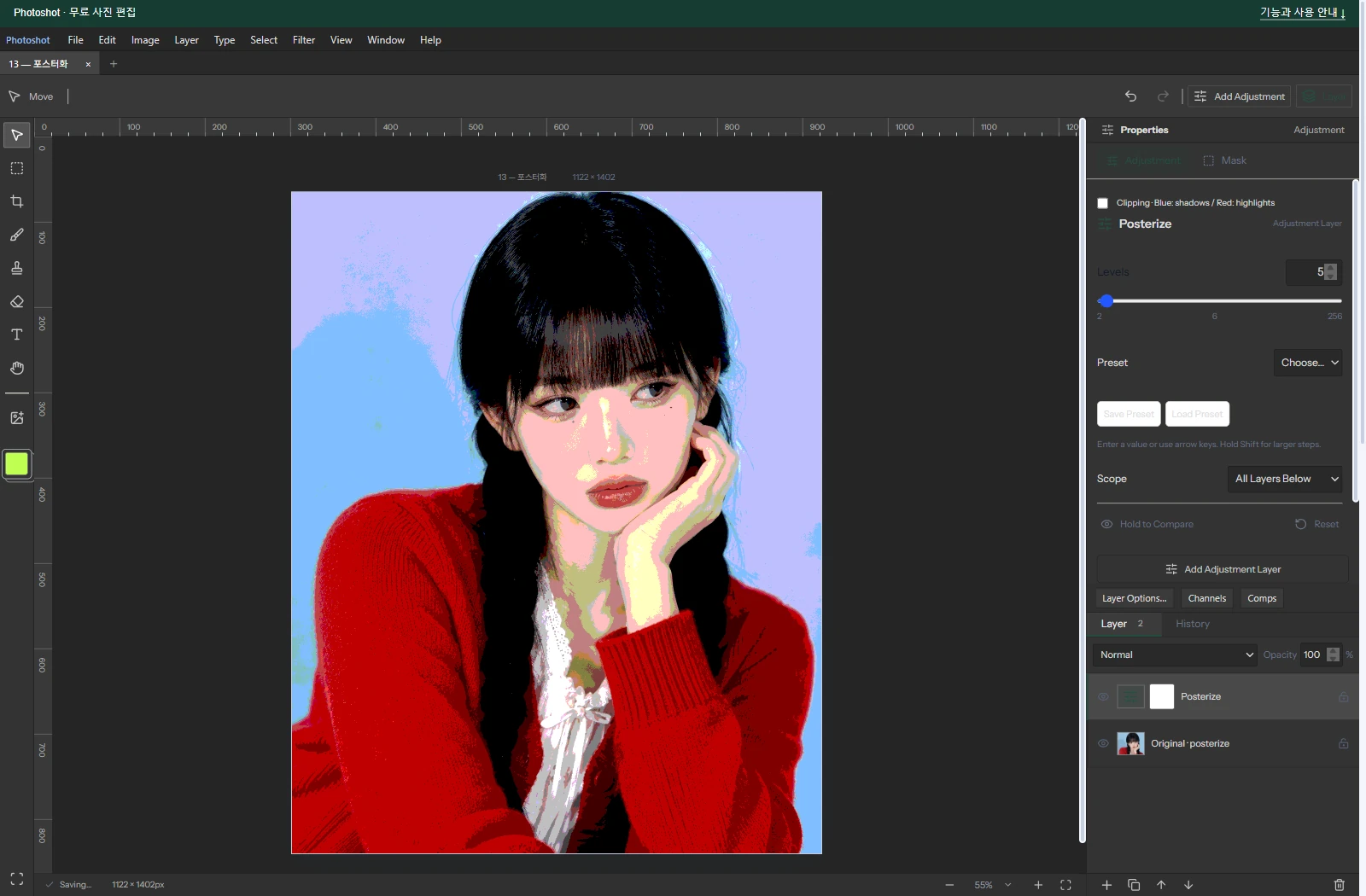
The photographic example uses five levels
The stored photograph and project use Levels 5 and opacity 100%. The four-level numerical example is kept separate from this five-level demonstration. The AI-generated portrait was edited in actual Photoshot.
The known quantization formula became an editing tool through input bounds, revision handling and compositing. Part 15 divides brightness into black and white with Threshold.
The visible result.
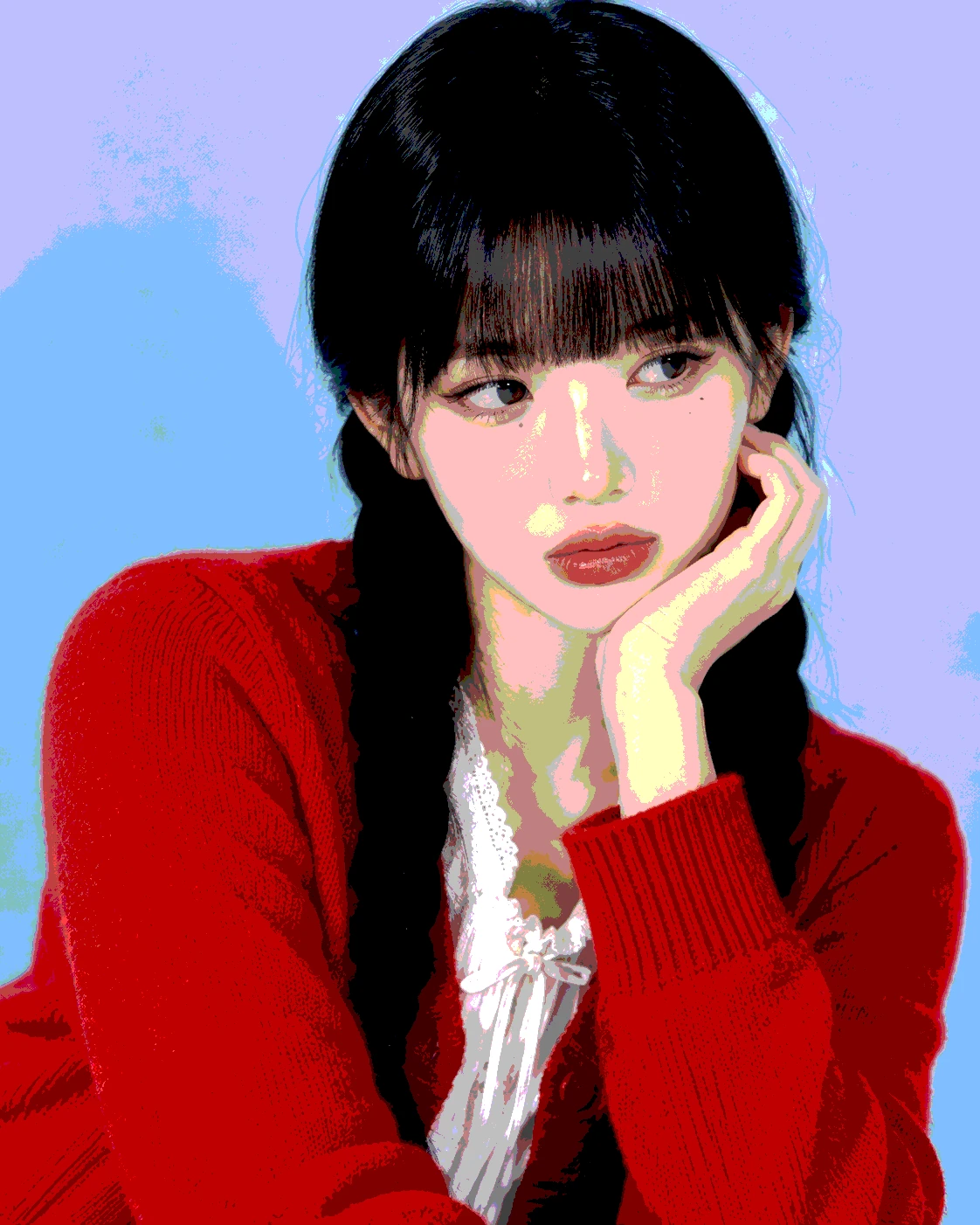
AI-generated study photograph. Editor captures and outputs show Photoshot in use.