
Building a free Photoshop alternative
Color follows tone
This Photoshot development journal follows the creation of a free image editor. Gradient Map assigns colors to dark and bright pixels. We connect established RGB interpolation to adjustment layers, editable stops and saved settings, with a new demonstration and explicit code references.
AI-generated study photograph. Editor captures and outputs show Photoshot in use.
From the source.
Read brightness, not position
A gradient painted across a canvas follows spatial position. Gradient Map follows the brightness of each pixel. Dark hair and a bright knit top are mapped by tone wherever they appear in the frame.
The starting point was the existing adjustment-layer structure and established weighted sums and RGB interpolation. The excerpts are from Photoshot’s public repository. We do not invent an unrecorded failure story or claim a direct library port without evidence.
Make stops a valid sequence
Each stop contains position, color and the midpoint toward its successor. Validation requires 2–32 stops, endpoints at 0 and 100, and strictly increasing positions. Duplicate positions would make the interval denominator invalid.
The revision 2 path weights normalized RGB by 0.30, 0.59 and 0.11. The older path uses 0.2126, 0.7152 and 0.0722; the two must not be conflated. Reverse subtracts the brightness from one before the code locates the neighboring stops.
  if (
    a.stops !== undefined &&
    (a.type !== 'gradient' ||
      !Array.isArray(a.stops) ||
      a.stops.length < 2 ||
      a.stops.length > 32 ||
      a.stops[0].position !== 0 ||
      a.stops.at(-1)!.position !== 100 ||
      a.stops.some(
        (s, i) =>
          !s ||
          !finite(s.position, 0, 100) ||
          !finite(s.midpoint, 1, 99) ||
          !/^#[0-9a-f]{6}$/i.test(s.color) ||
          (i > 0 && s.position <= a.stops![i - 1].position),
      ))
  )
throw Error('그레이디언트 색상점이 올바르지 않습니다.');Inside the
calculation.
Midpoint, smoothness and dither differ
The initial interval fraction is (tone position−lower position)/(upper position−lower position). A power curve moves the point where the colors mix equally. A midpoint of 50% keeps the initial fraction. Moving a midpoint is different from moving a color stop.
Revision 2 smoothness mixes a curve component into that fraction. Dither adds a small variation later near quantization boundaries. Neither restores lost color information or guarantees the removal of all banding. Colors are interpolated numerically in RGB, not in a perceptual color space.
Three colors on one original
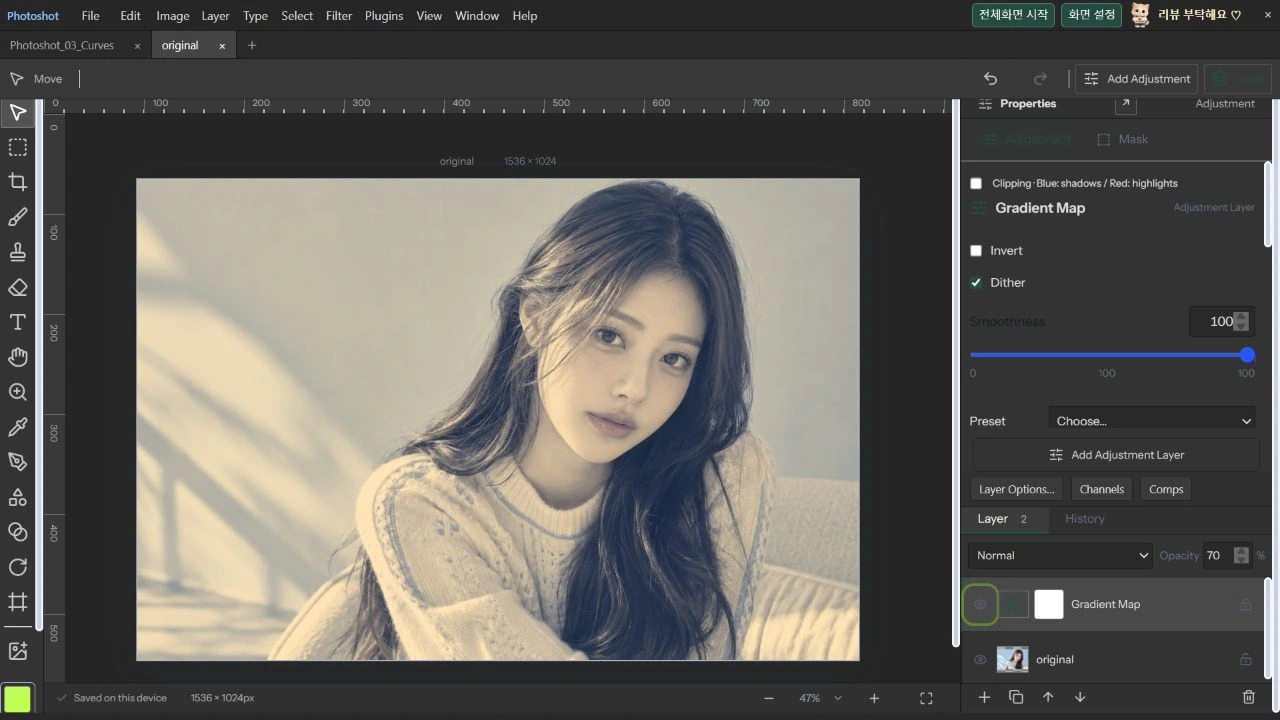
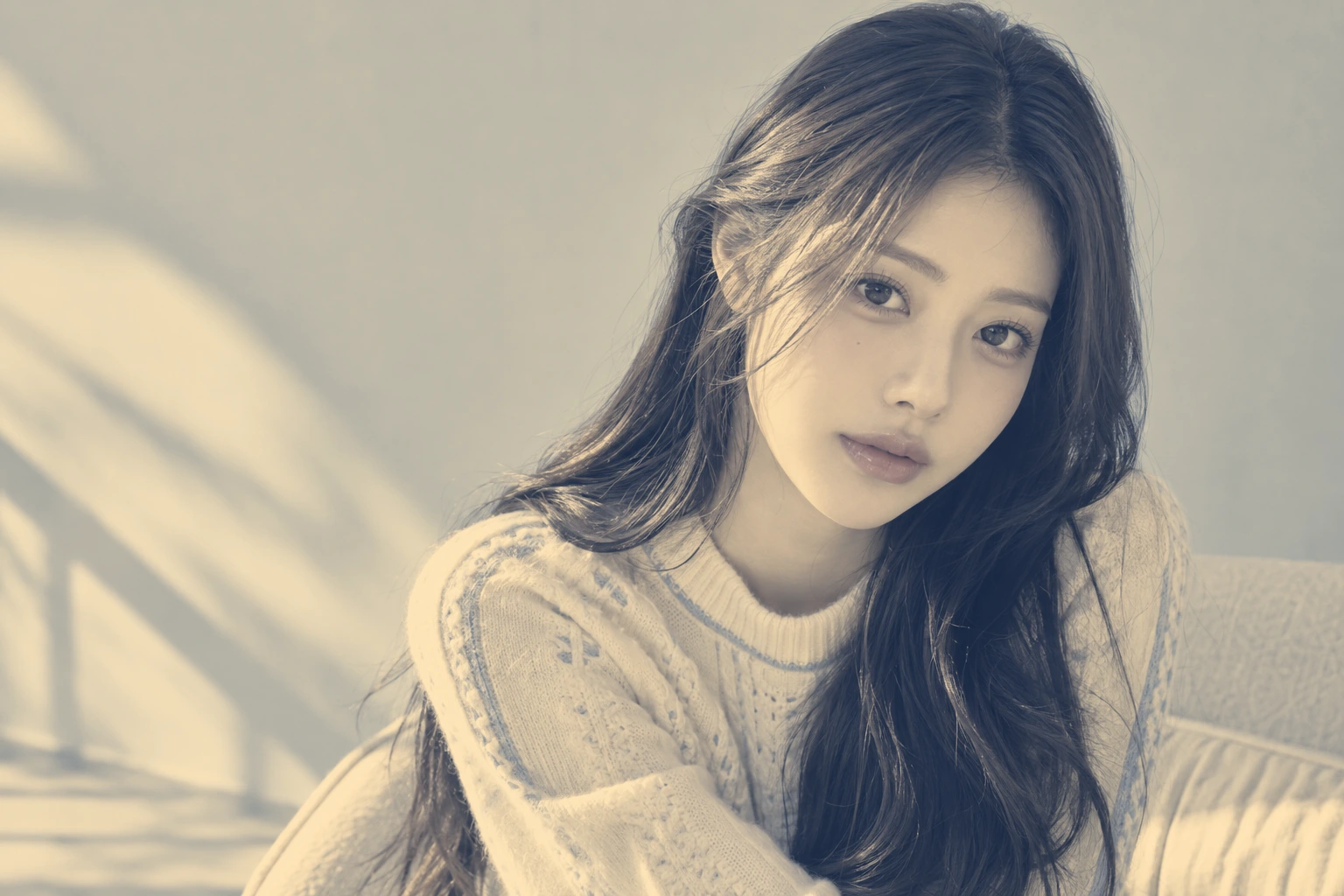
On October 22, 2026, we opened a new AI-generated portrait in the production Photoshot editor and added an adjustment layer. Stops: 0% #152d54, 50% #808080, 100% #ffda9c. Both midpoints: 50. Smoothness: 100. Reverse: off. Dither: on. Normal blend mode and 70% layer opacity.
Opacity acts during compositing, mixing the mapped result back with the original. The 70% image therefore differs from a fully mapped image. Original and output are the same 1536×1024 frame, and the workspace image is an actual editor capture. The model is AI-generated; this is not a celebrity endorsement.
Read the code.
    if (t === 'gradient') {
      let y = a.revision === 2 ? 0.3 * r + 0.59 * g + 0.11 * b : luma(r, g, b);
      if (v.reverse) y = 1 - y;
      const p = y * 100;
      let i = 0;
      while (i < stops!.length - 2 && p > stops![i + 1].position) i++;
      const low = stops![i],
        high = stops![i + 1];
      let f = clamp((p - low.position) / (high.position - low.position));
      f = f ** (Math.log(0.5) / Math.log(low.midpoint / 100));
      if (a.revision === 2 && v.smooth) f += ((f * f * (3 - 2 * f) - f) * v.smooth) / 200;
      for (let c = 0; c < 3; c++) out[c] = low.rgb[c] * (1 - f) + high.rgb[c] * f;
} gradient: {
name: '그레이디언트 맵',
description: '명암을 여러 색상으로 매핑하고 중간점을 조절합니다.',
controls: [
control('reverse', '반전', 0, 1),
control('dither', '디더링', 0, 1),
control('smooth', '매끄러움', 0, 100, 100),
],
},check('gradient interior stops, midpoint, reverse, dither are persisted', () => {
const a = A.makeAdjustment('gradient');
a.stops = [
{ position: 0, color: '#000000', midpoint: 25 },
{ position: 50, color: '#ff0000', midpoint: 50 },
{ position: 100, color: '#ffffff', midpoint: 50 },
];
near(color(a, [127.5, 127.5, 127.5]), [1, 0, 0]);
near(color(a, [31.875, 31.875, 31.875]), [0.5, 0, 0]);
a.values.reverse = 1;
near(color(a, [255, 255, 255]), [0, 0, 0]);
a.values.dither = 1;
A.validateAdjustment(JSON.parse(JSON.stringify(a)));
});In the editor.
What was verified
The source review is pinned to public commit d08d365. On October 22, 2026, public-adjustments and upgrade-render passed: alpha, serialization and compositor checks across sixteen adjustments plus nineteen upgrade groups. Coverage includes interior gradient stops, midpoint, reverse, dither persistence and invalid-input rejection.
The project saved from the production UI was also inspected for revision 2, all three stops and opacity. These checks do not establish pixel equality with Adobe Photoshop across all images and color spaces. Part 17 continues with Selective Color and adjustments to individual color families.
The visible result.
AI-generated study photograph. Editor captures and outputs show Photoshot in use.